A Hundred Agent Sessions on One Box

Tips for Running Coding Agents Remotely

Michael Rishi Forrester

Opening

170

agent sessions in tmux on one Linux box, one per repo. I closed the lid, flew here, and every agent was where I left it.

  1. Opening
  2. 1Structure
  3. 2Master
  4. 3Move
  5. 4Automate
  6. 5Dispatch
  7. Close

Opening

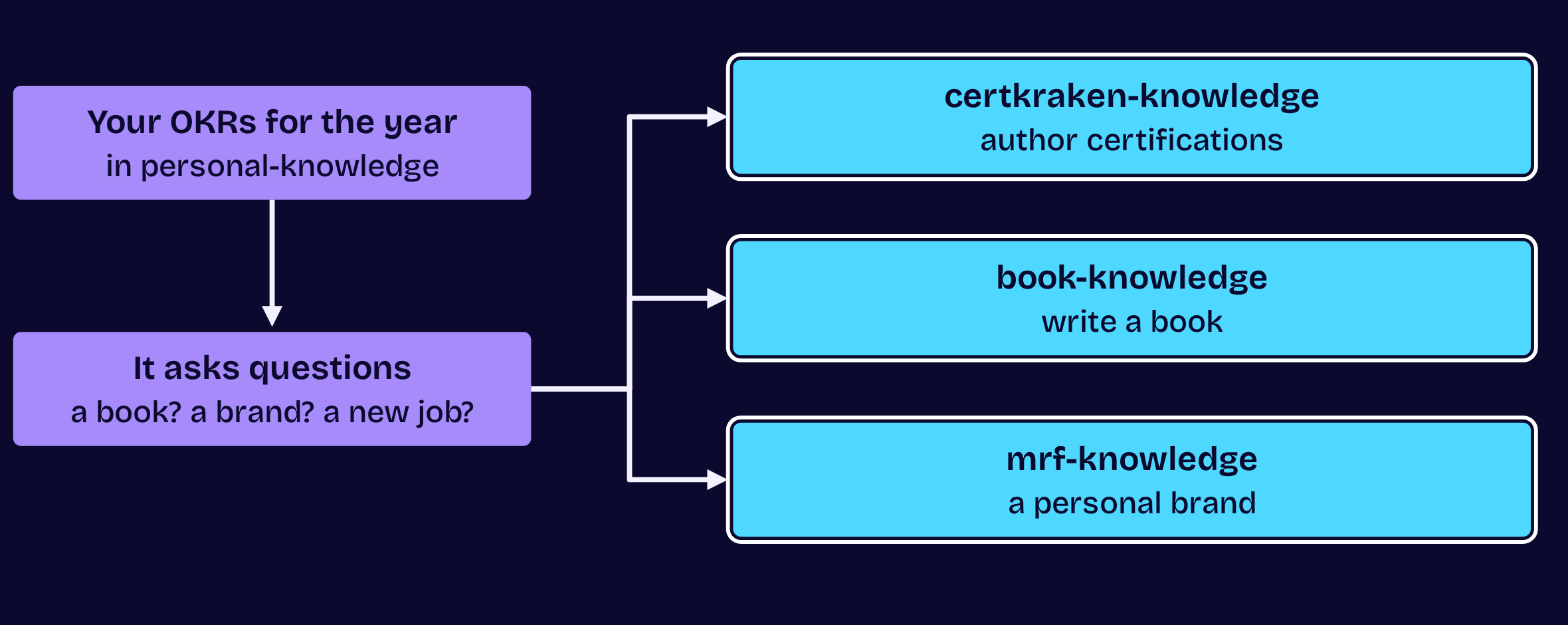
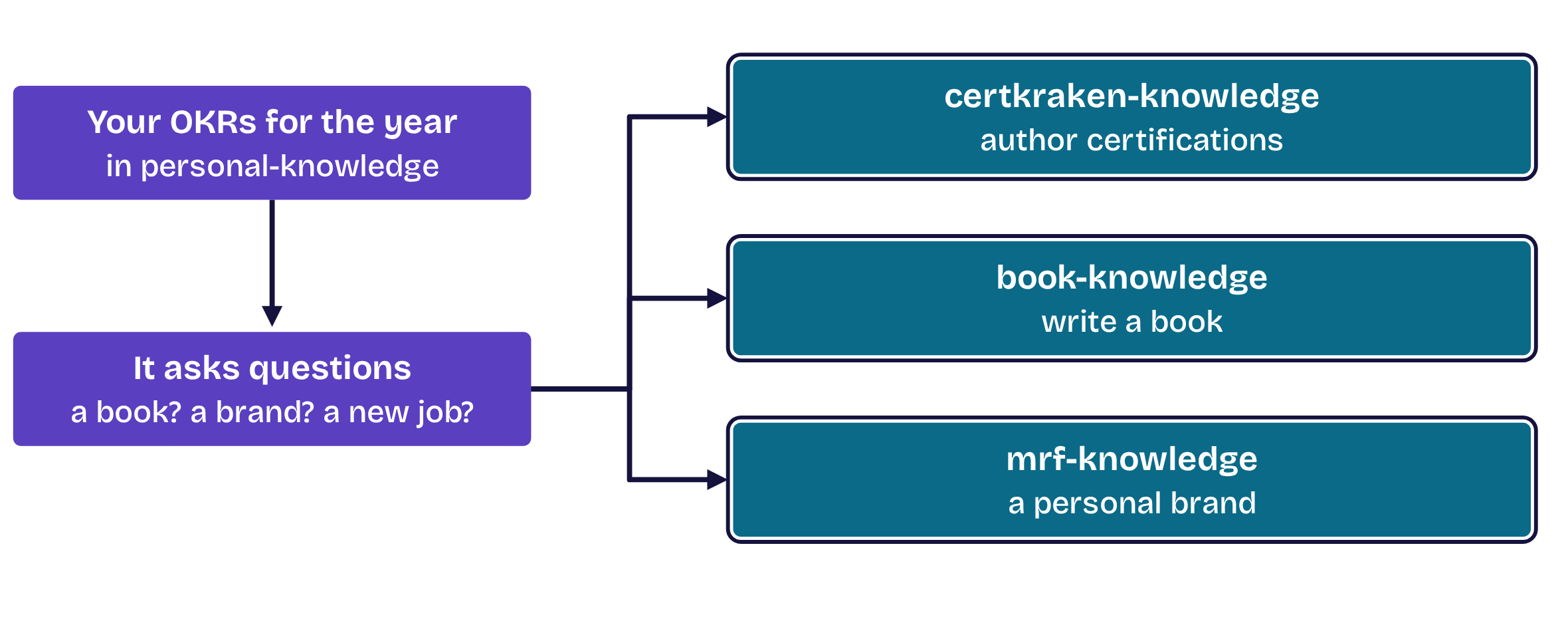
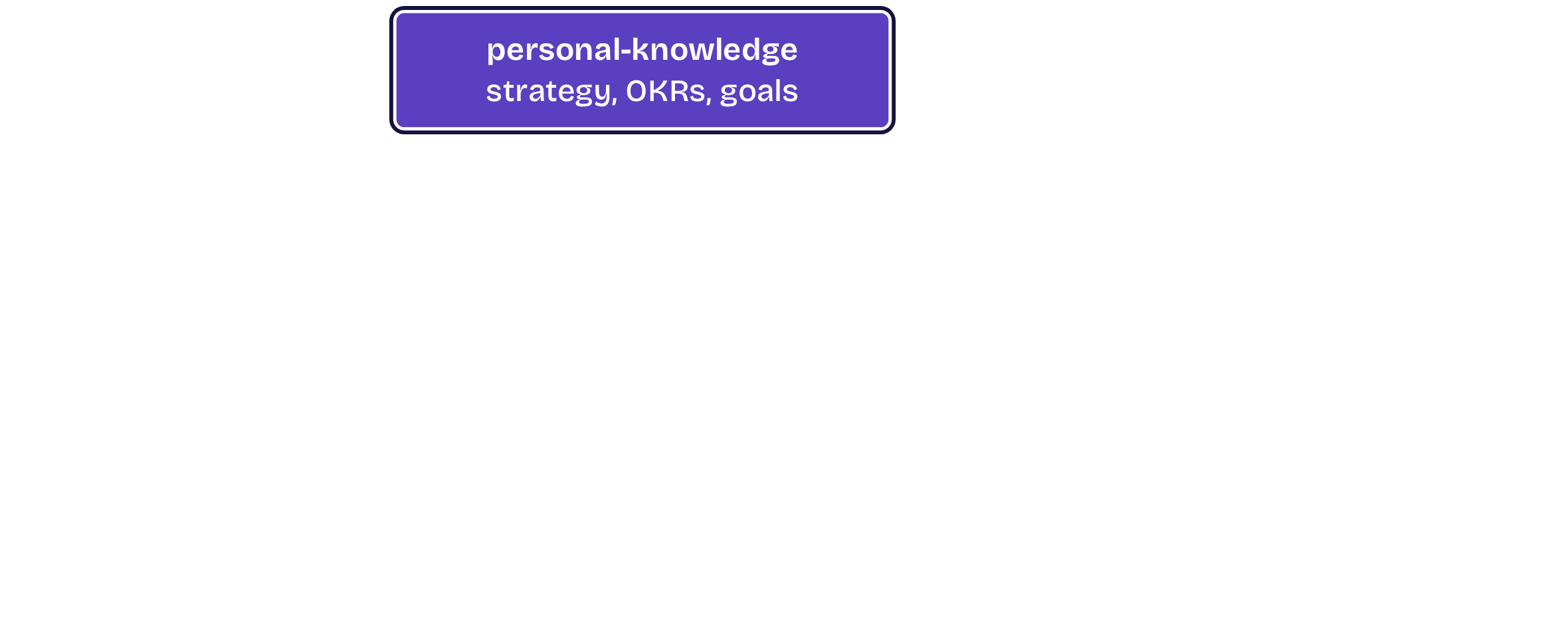
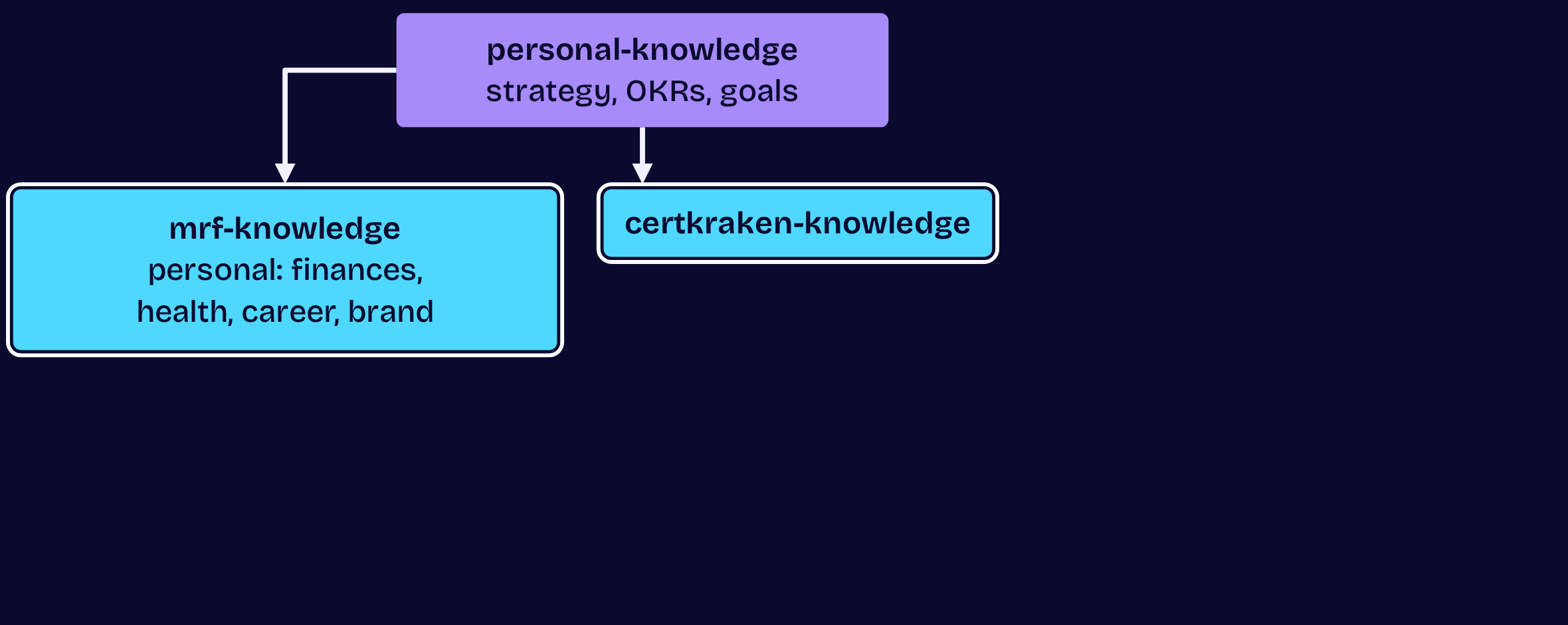
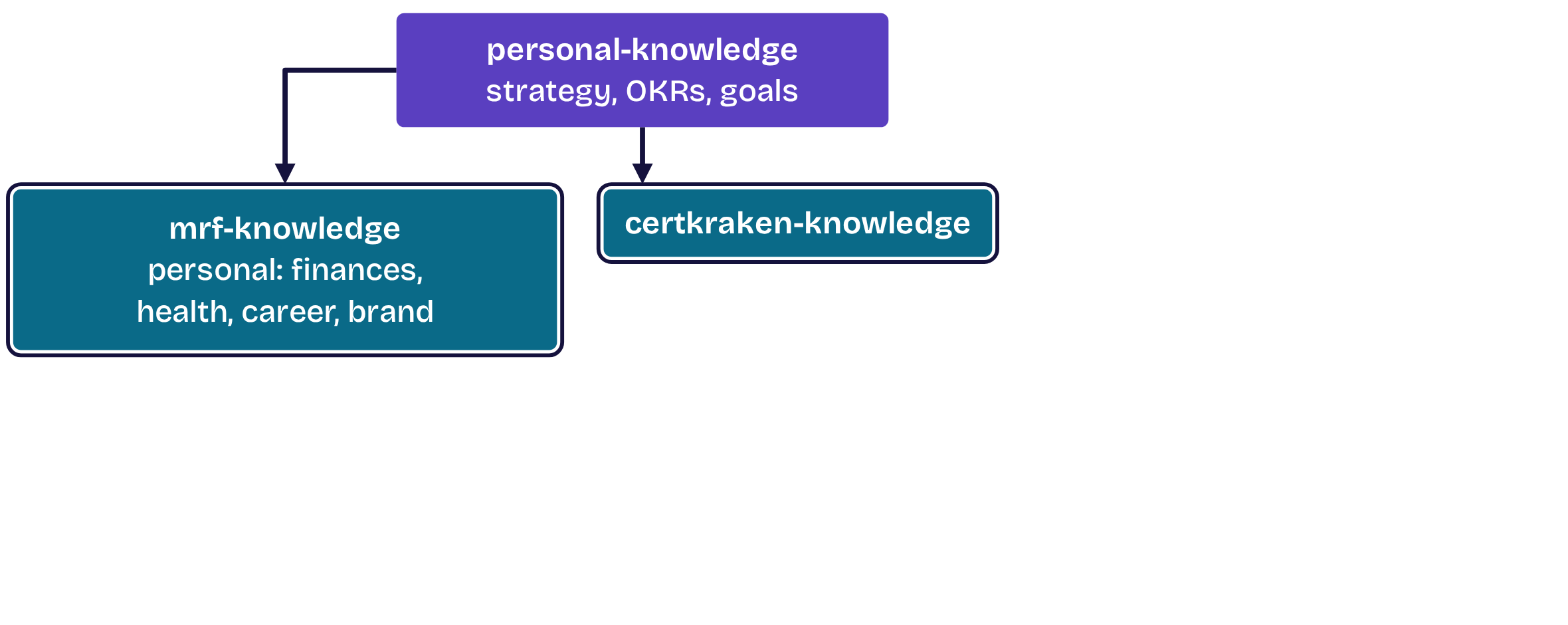
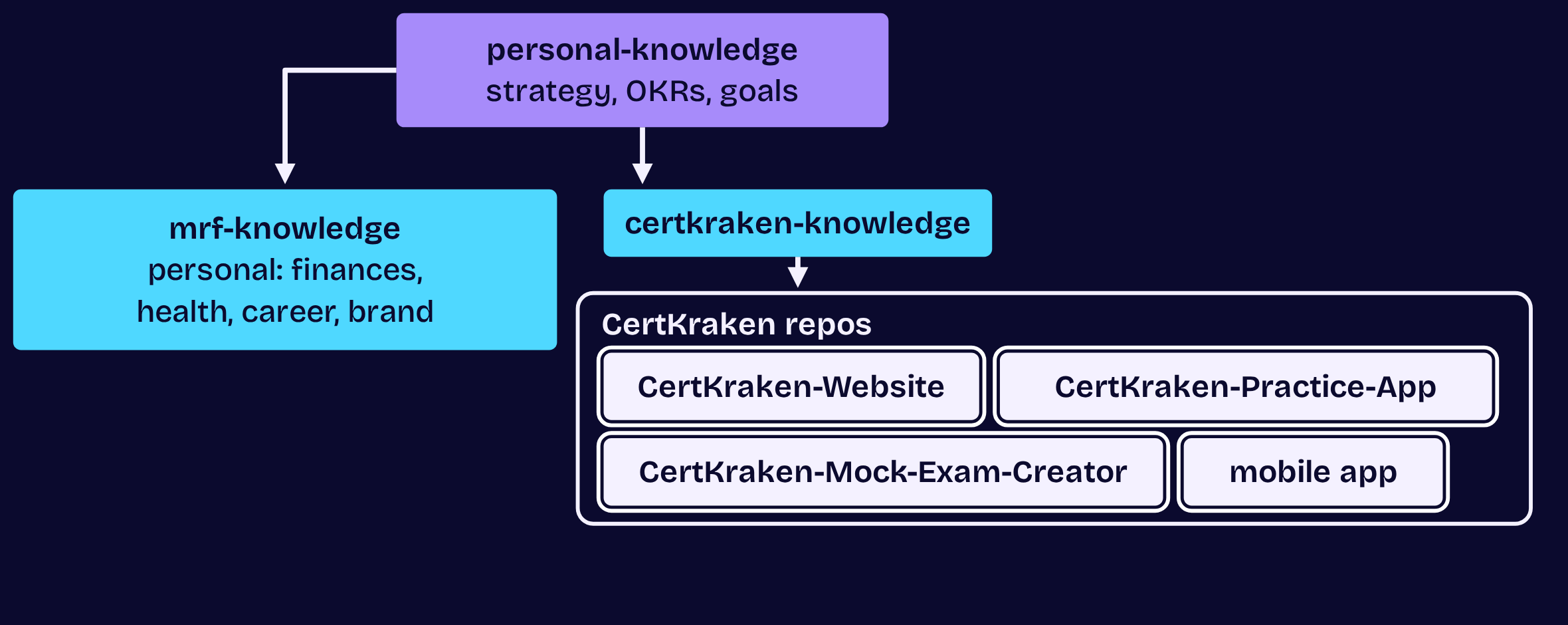
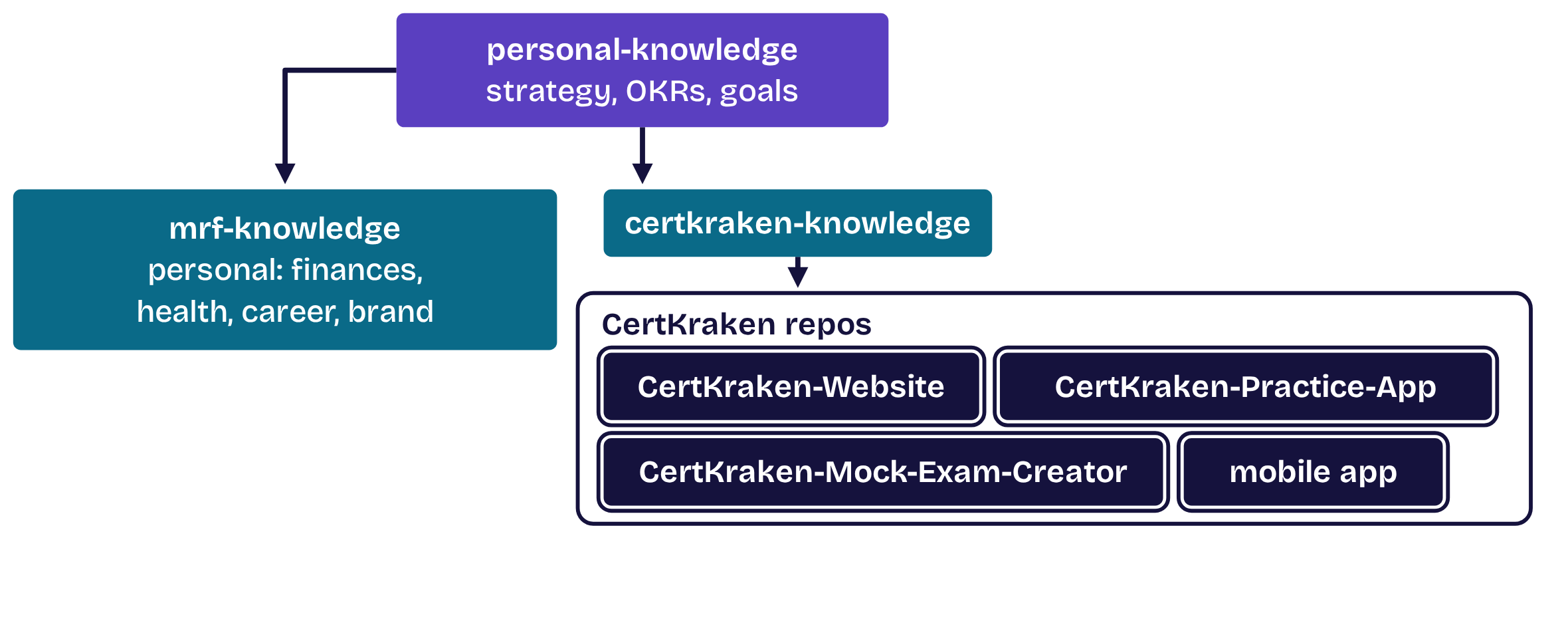
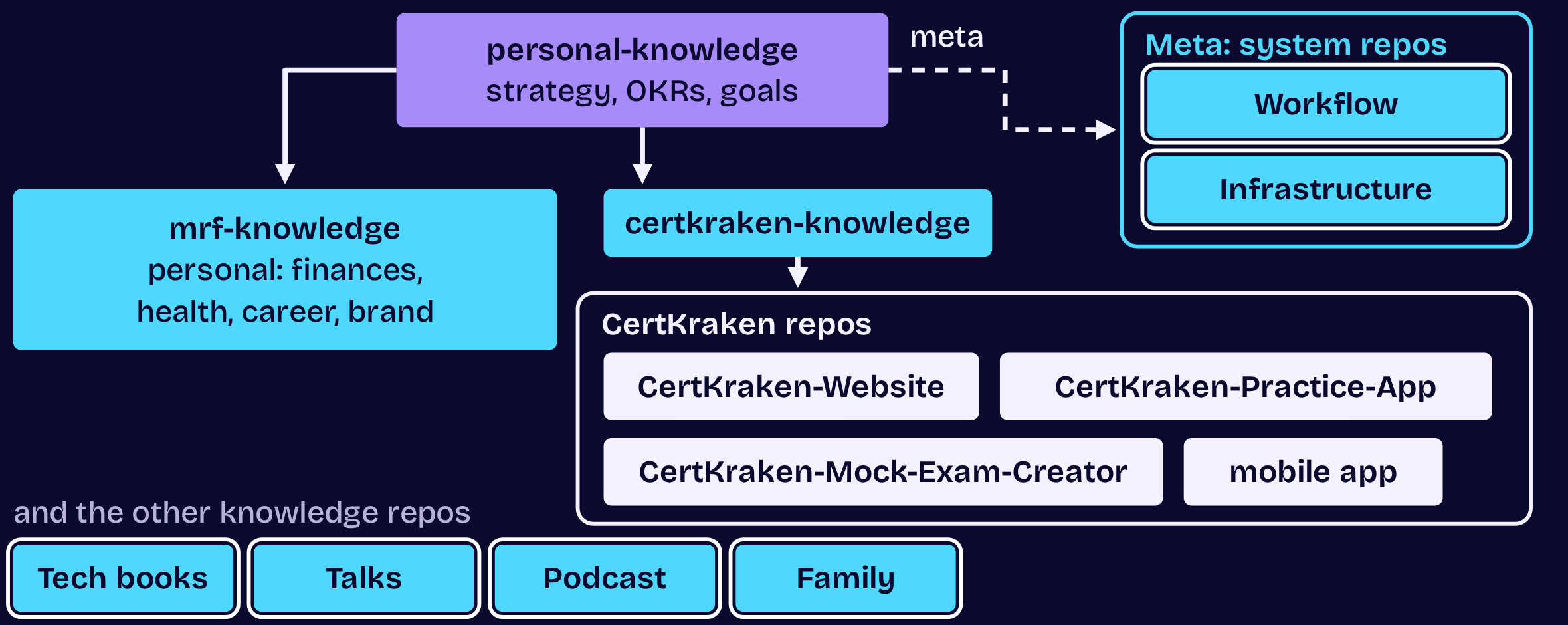
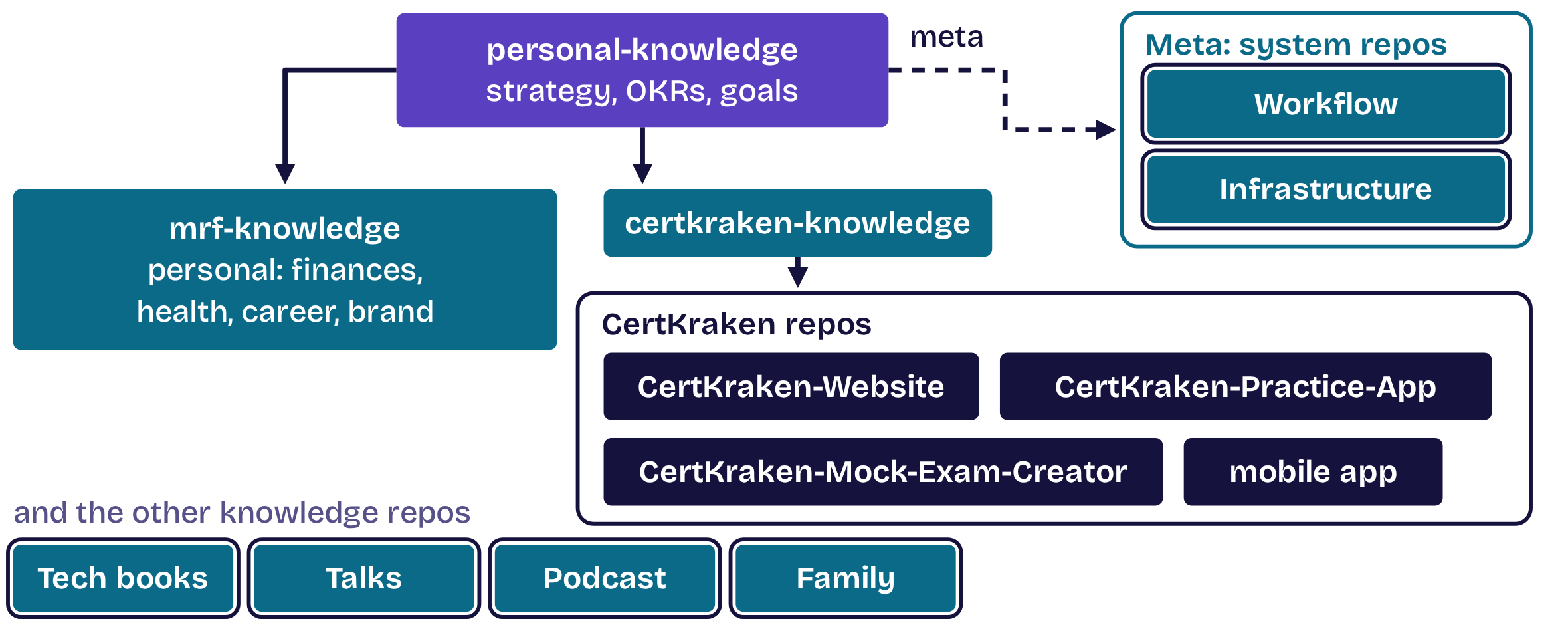
Your OKRs build the tree

Your OKRs build the tree, step 1 of 3Your OKRs build the tree, step 1 of 3Your OKRs build the tree, step 2 of 3Your OKRs build the tree, step 2 of 3Your OKRs build the tree, step 3 of 3Your OKRs build the tree, step 3 of 3
  1. Opening
  2. 1Structure
  3. 2Master
  4. 3Move
  5. 4Automate
  6. 5Dispatch
  7. Close

Opening

Simple first, then complex

Kubernetes was a mistake. Start on one box; add boxes once you have a dispatcher.

  1. Opening
  2. 1Structure
  3. 2Master
  4. 3Move
  5. 4Automate
  6. 5Dispatch
  7. Close

Opening

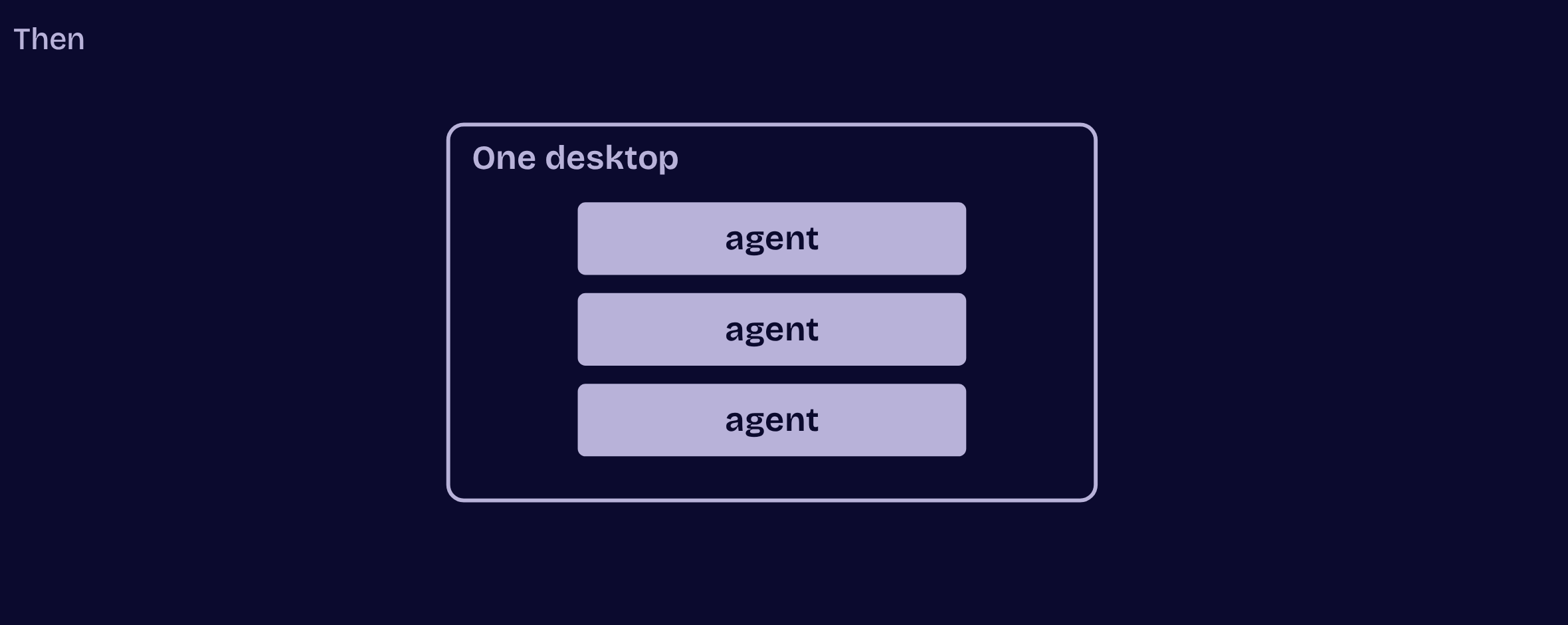
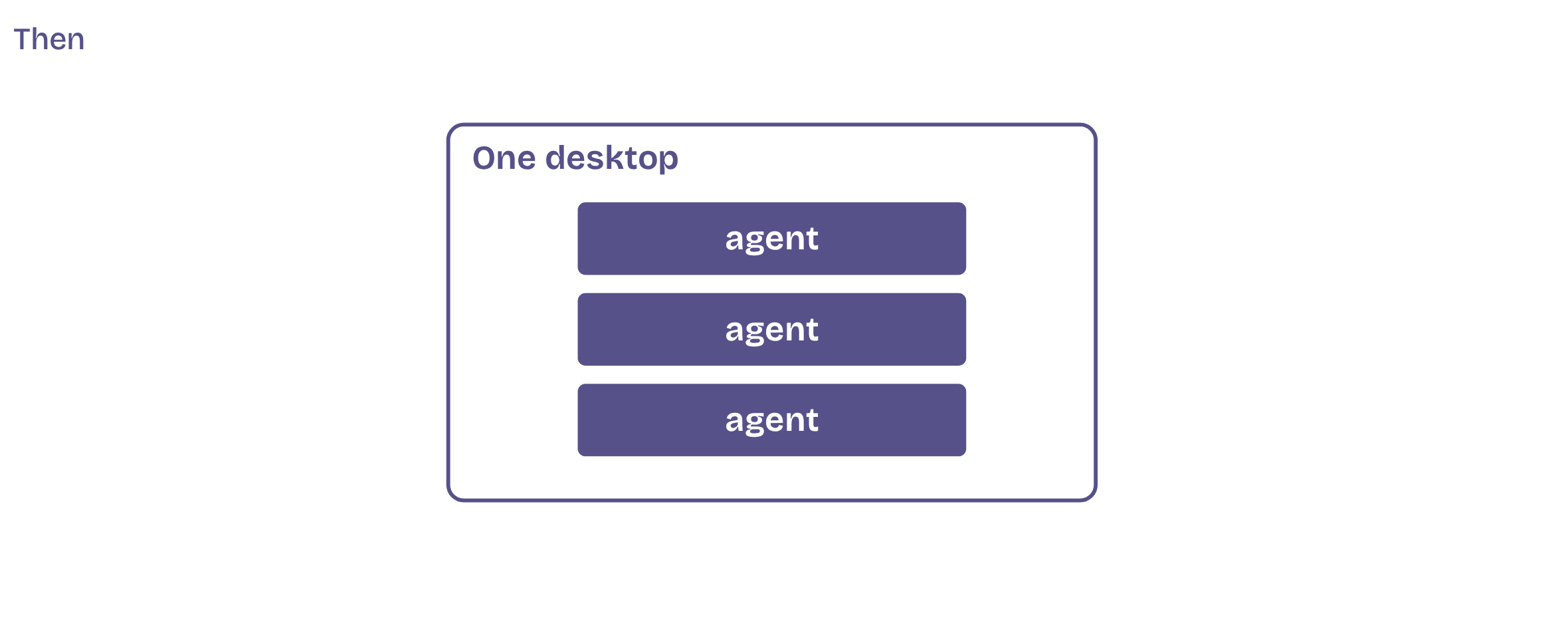
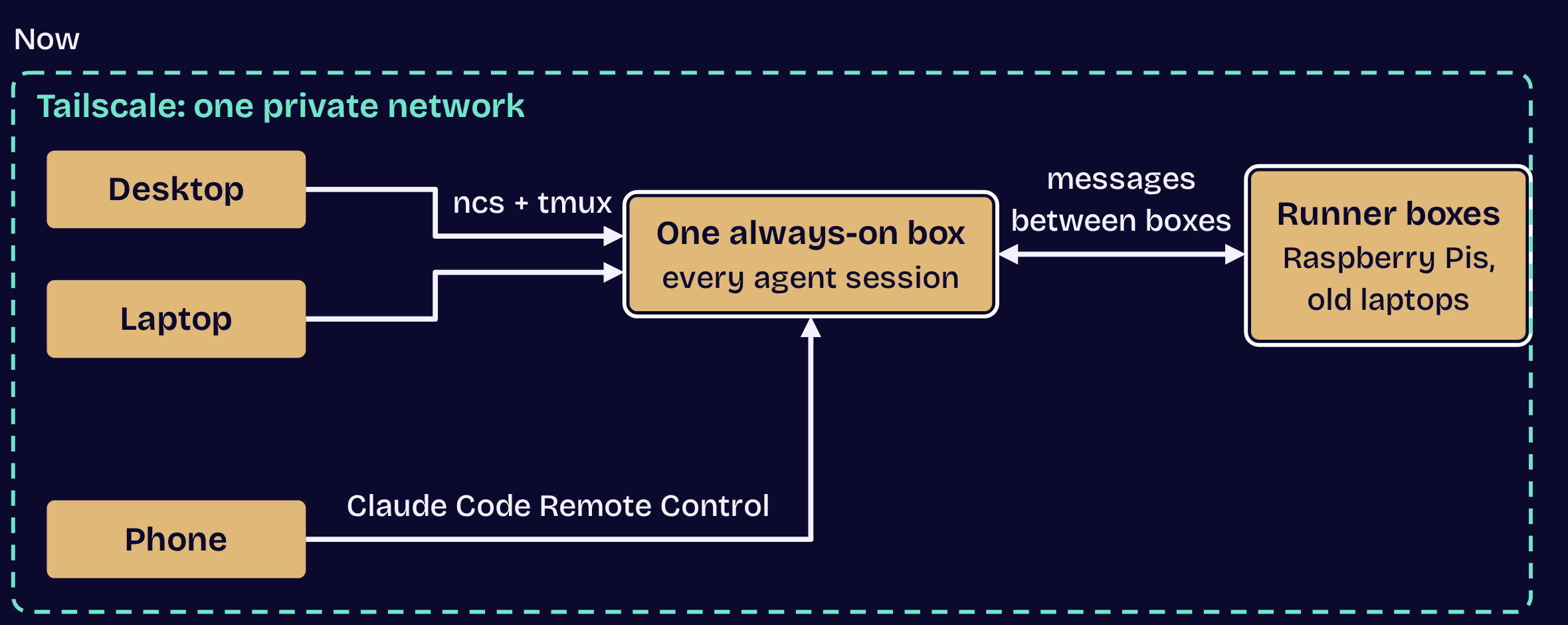
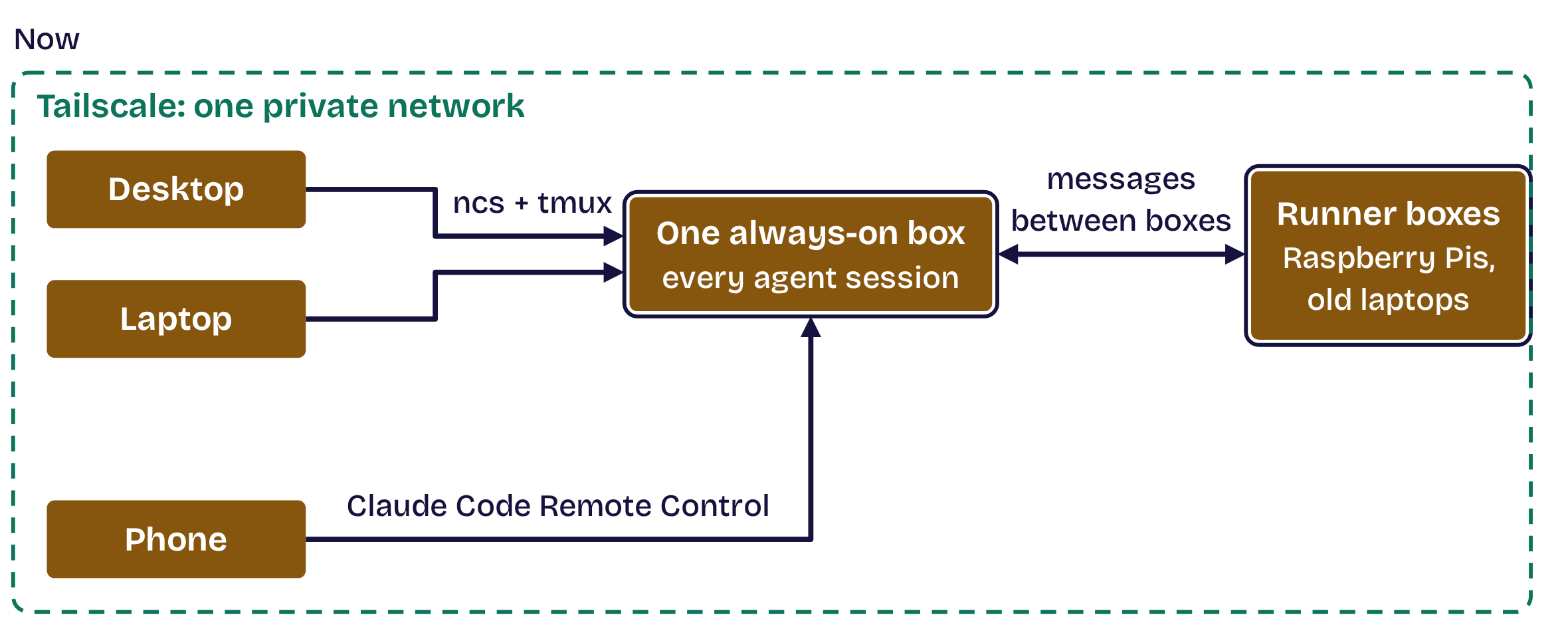
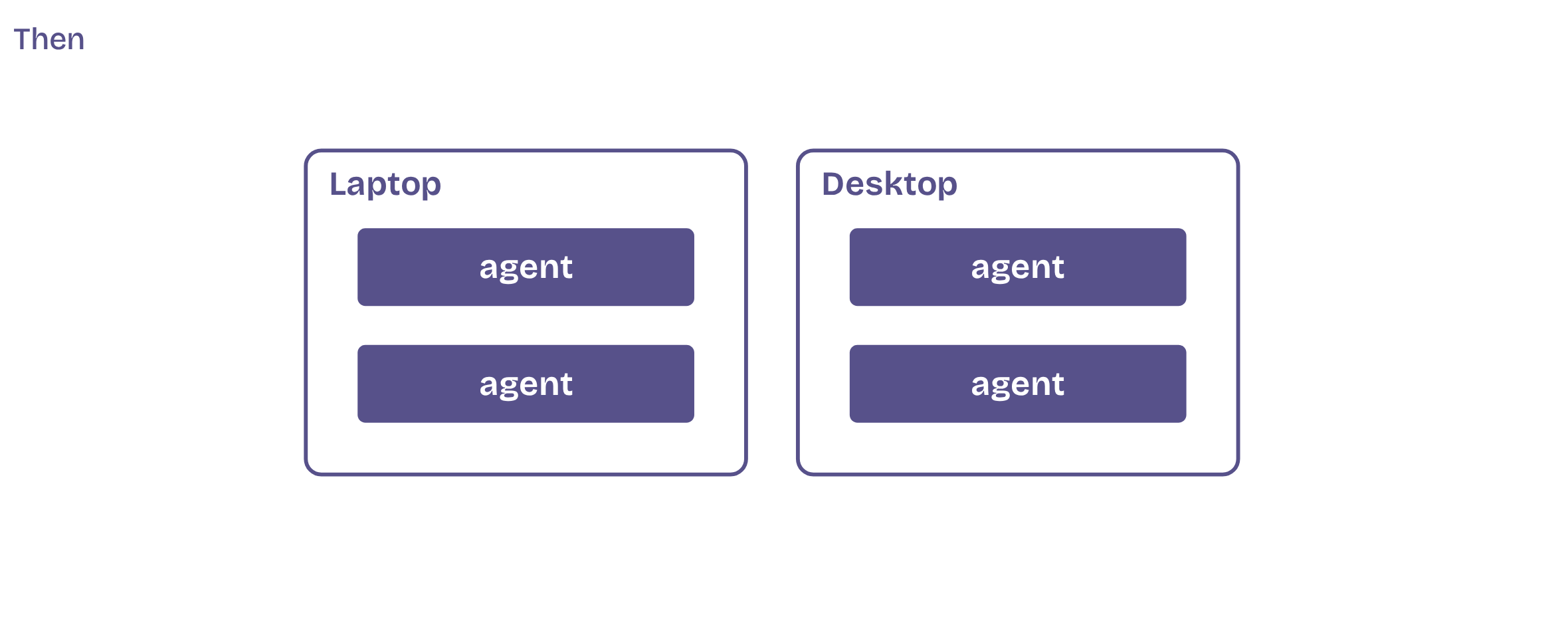
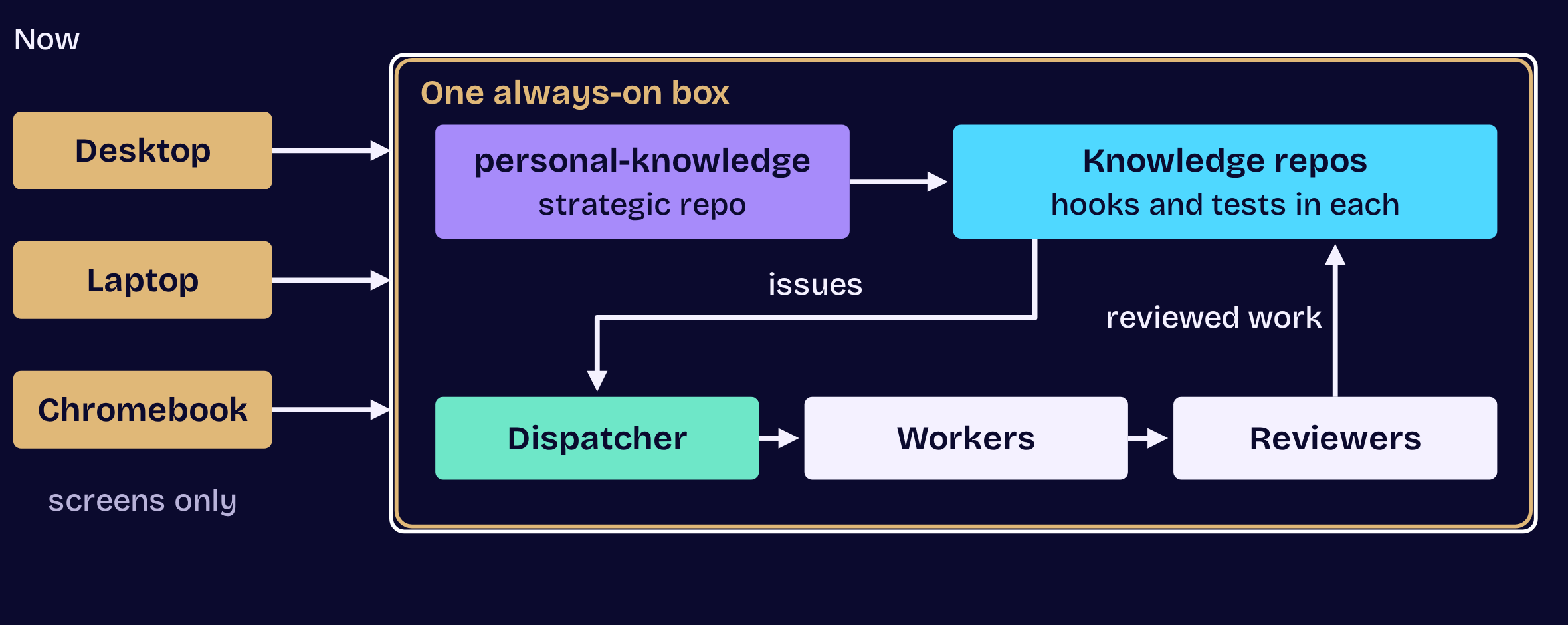
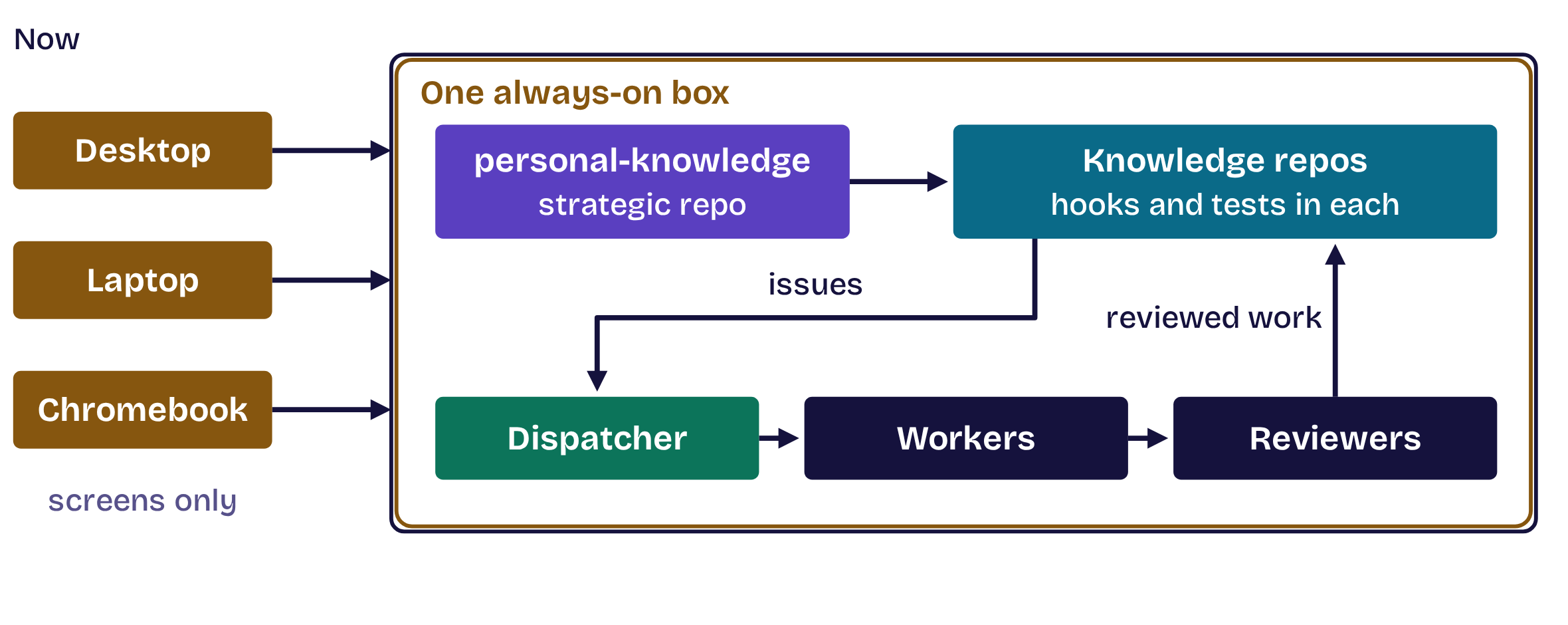
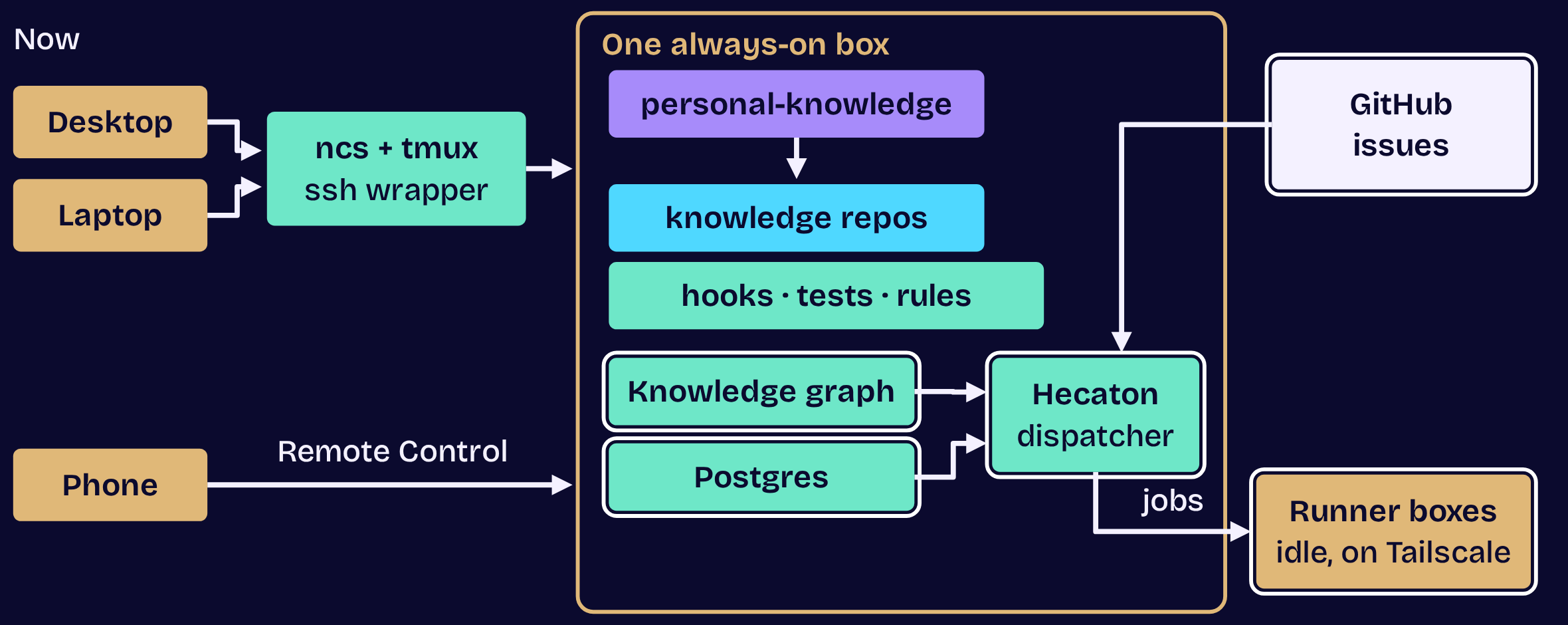
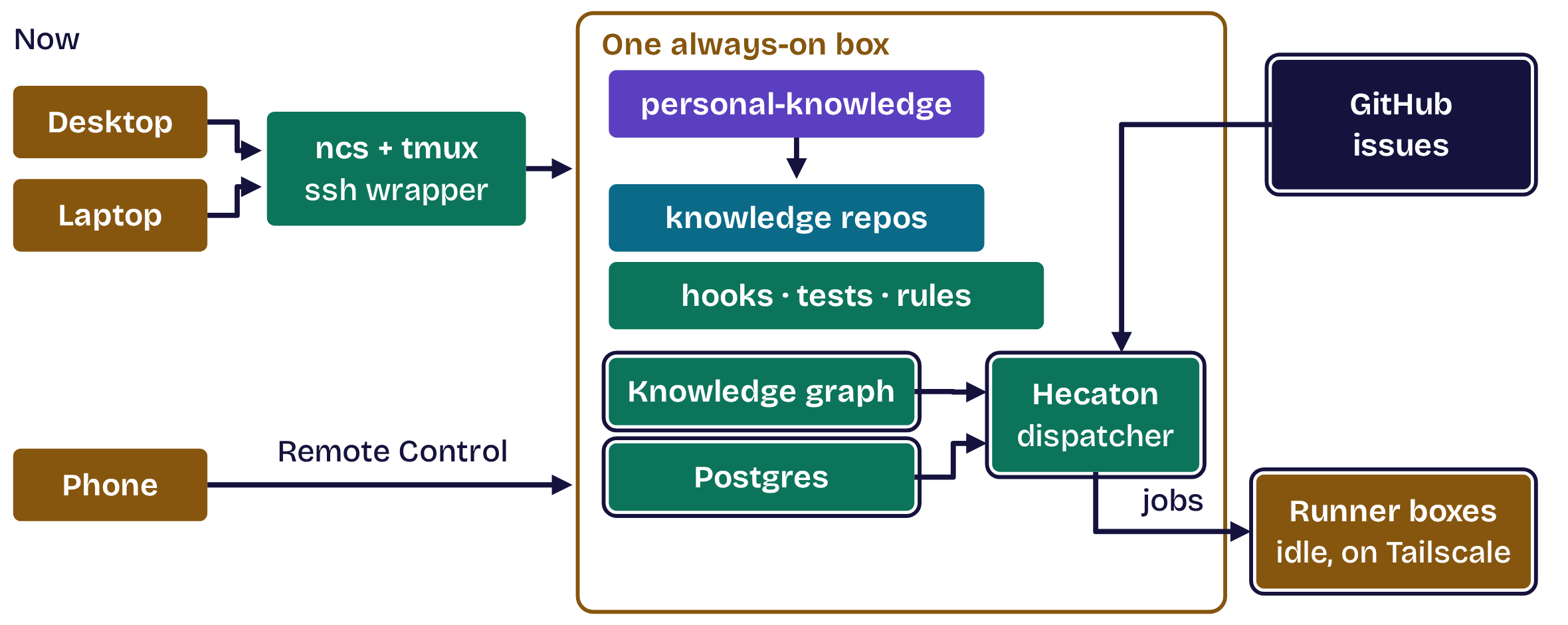
The setup: one always-on box and its runners

The setup: one always-on box and its runners, step 1 of 2The setup: one always-on box and its runners, step 1 of 2The setup: one always-on box and its runners, step 2 of 2The setup: one always-on box and its runners, step 2 of 2
  1. Opening
  2. 1Structure
  3. 2Master
  4. 3Move
  5. 4Automate
  6. 5Dispatch
  7. Close

Five tips

1

Structure your work

2

Master one workflow

3

Move to one box

4

Automate your connections

5

Dispatch the work

  1. Opening
  2. 1Structure
  3. 2Master
  4. 3Move
  5. 4Automate
  6. 5Dispatch
  7. Close

1

Tip 1 of 5

Structure your work

  1. Opening
  2. 1Structure
  3. 2Master
  4. 3Move
  5. 4Automate
  6. 5Dispatch
  7. Close

Tip 1 of 5 · Structure

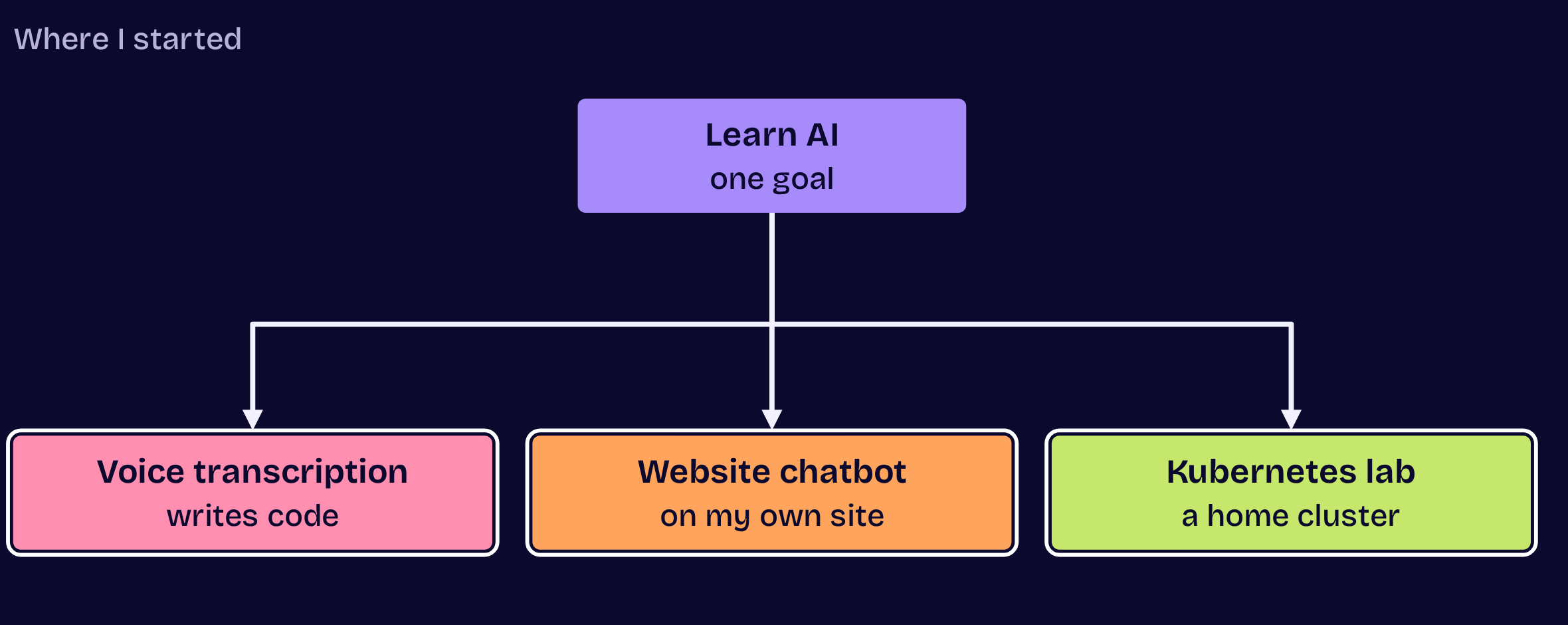
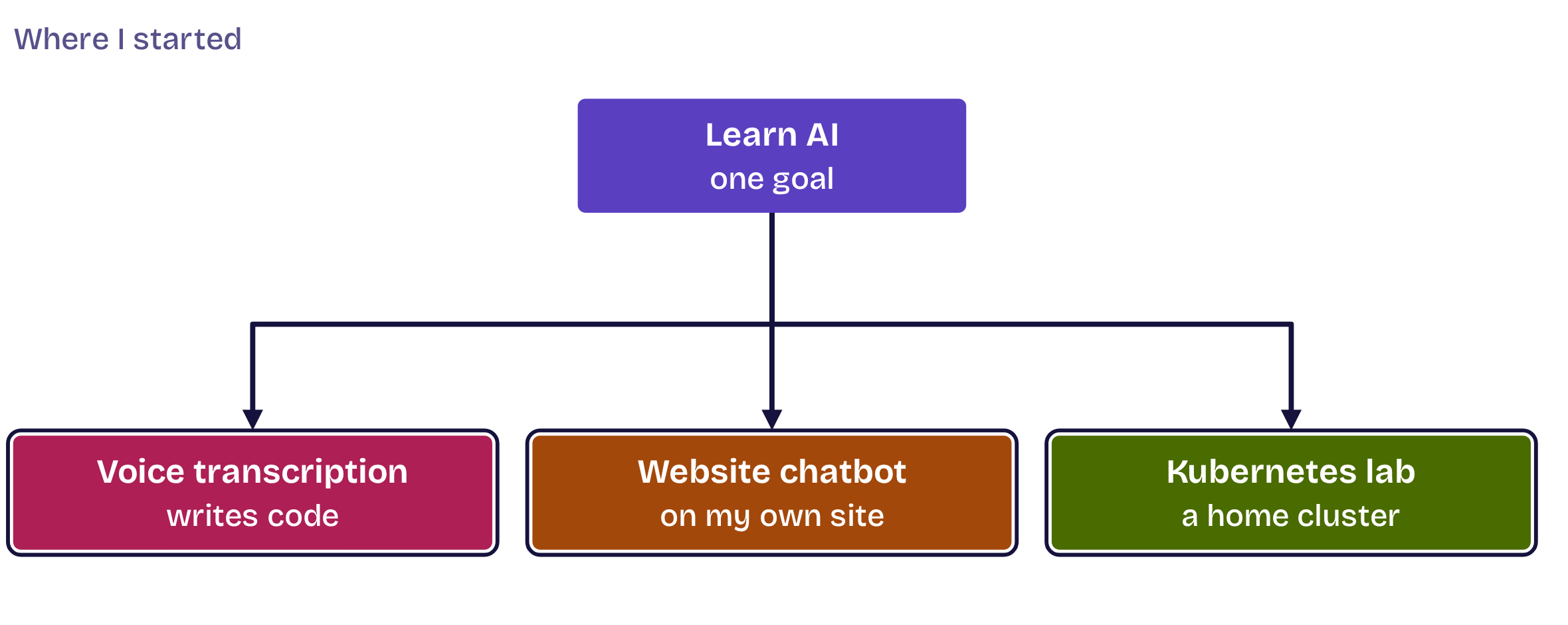
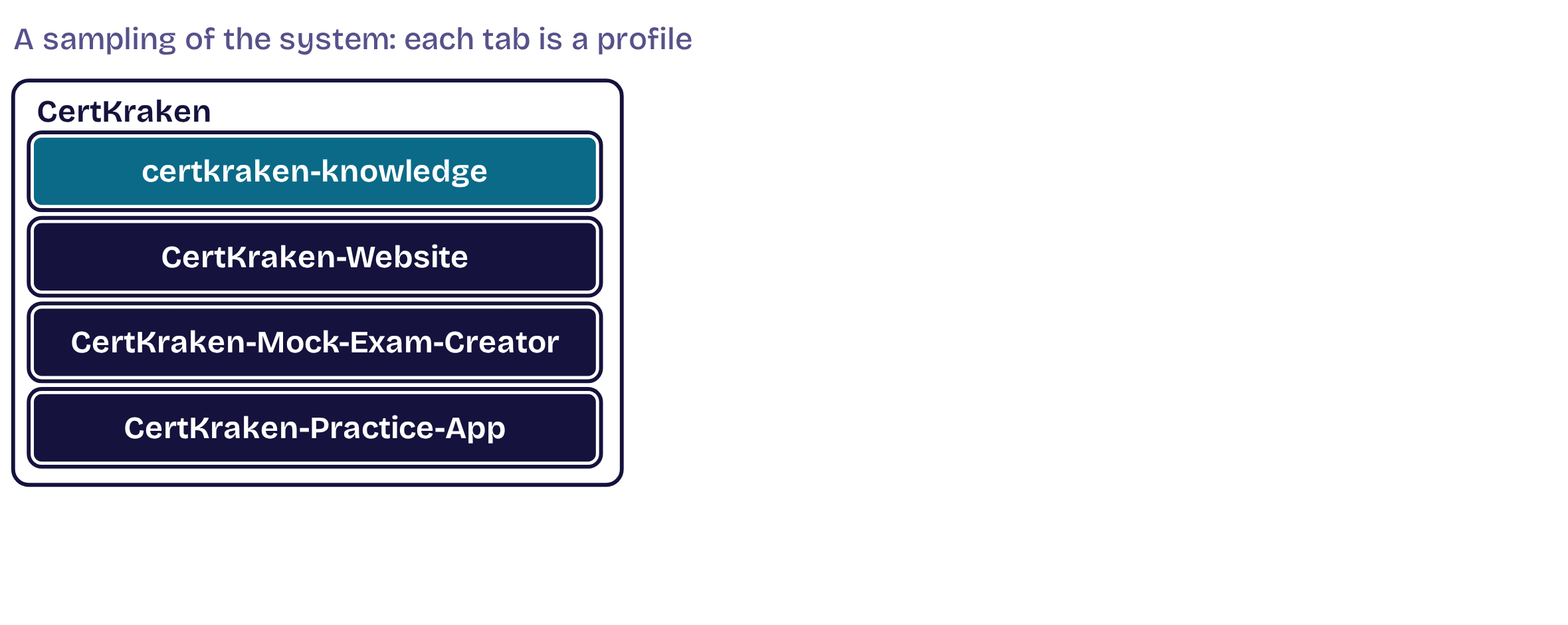
My starting point: one goal, three projects

My starting point: one goal, three projects, step 1 of 2My starting point: one goal, three projects, step 1 of 2My starting point: one goal, three projects, step 2 of 2My starting point: one goal, three projects, step 2 of 2
  1. Opening
  2. 1Structure
  3. 2Master
  4. 3Move
  5. 4Automate
  6. 5Dispatch
  7. Close

Tip 1 of 5 · Structure

One goal and its projects: the fractal

One goal and its projects: the fractal, step 1 of 4One goal and its projects: the fractal, step 1 of 4One goal and its projects: the fractal, step 2 of 4One goal and its projects: the fractal, step 2 of 4One goal and its projects: the fractal, step 3 of 4One goal and its projects: the fractal, step 3 of 4One goal and its projects: the fractal, step 4 of 4One goal and its projects: the fractal, step 4 of 4
  1. Opening
  2. 1Structure
  3. 2Master
  4. 3Move
  5. 4Automate
  6. 5Dispatch
  7. Close

2

Tip 2 of 5

Master one workflow

  1. Opening
  2. 1Structure
  3. 2Master
  4. 3Move
  5. 4Automate
  6. 5Dispatch
  7. Close

Tip 2 of 5 · Master

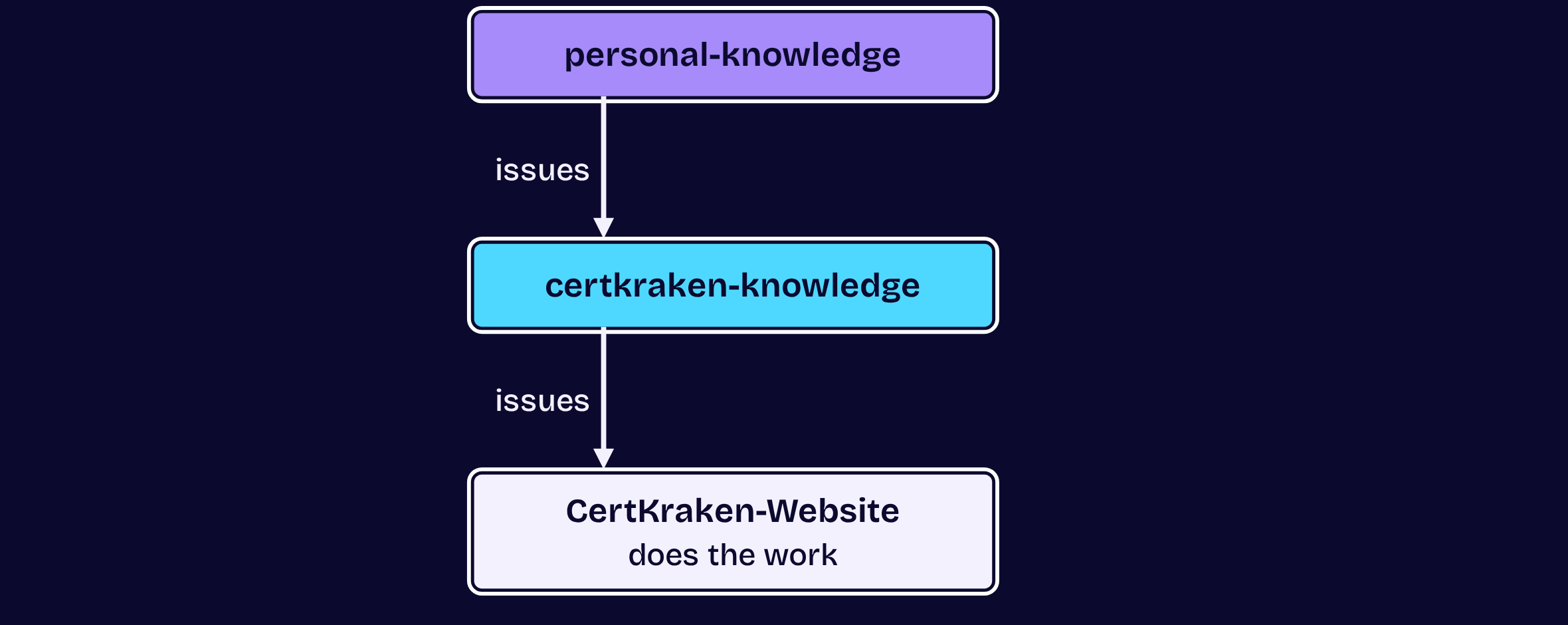
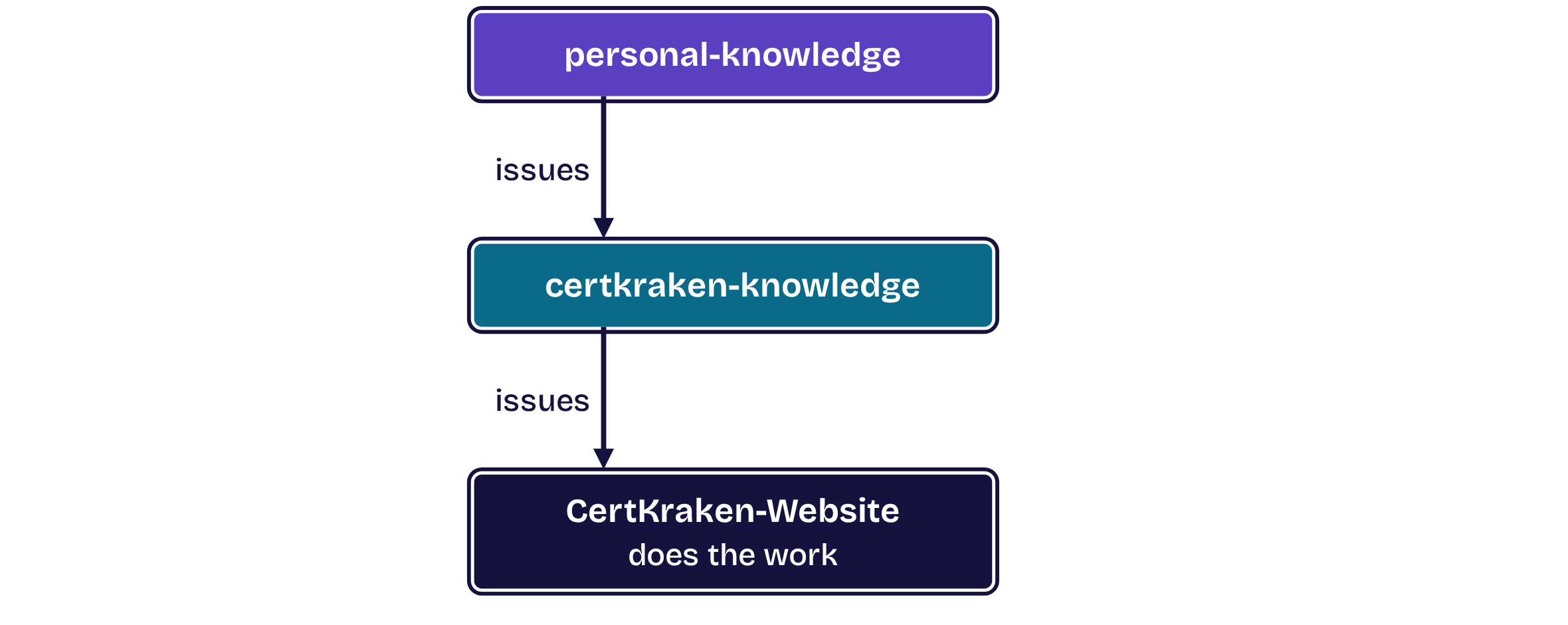
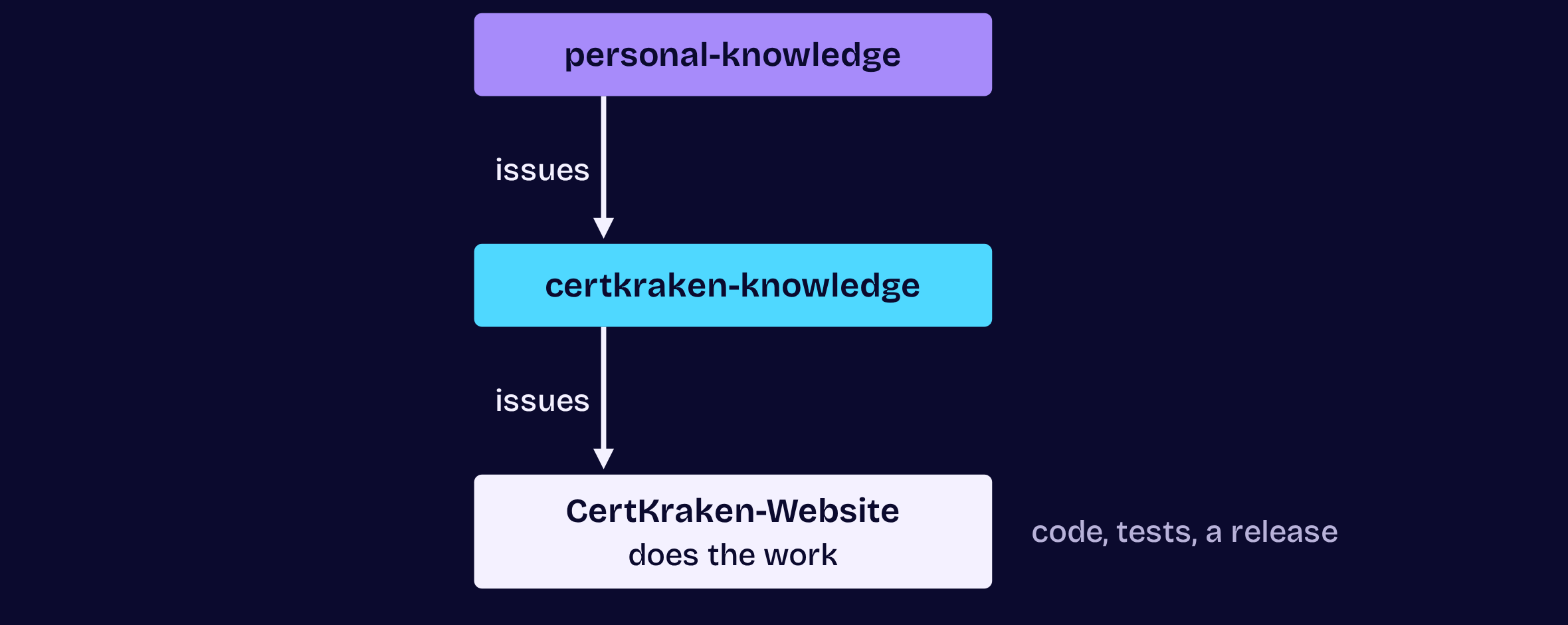
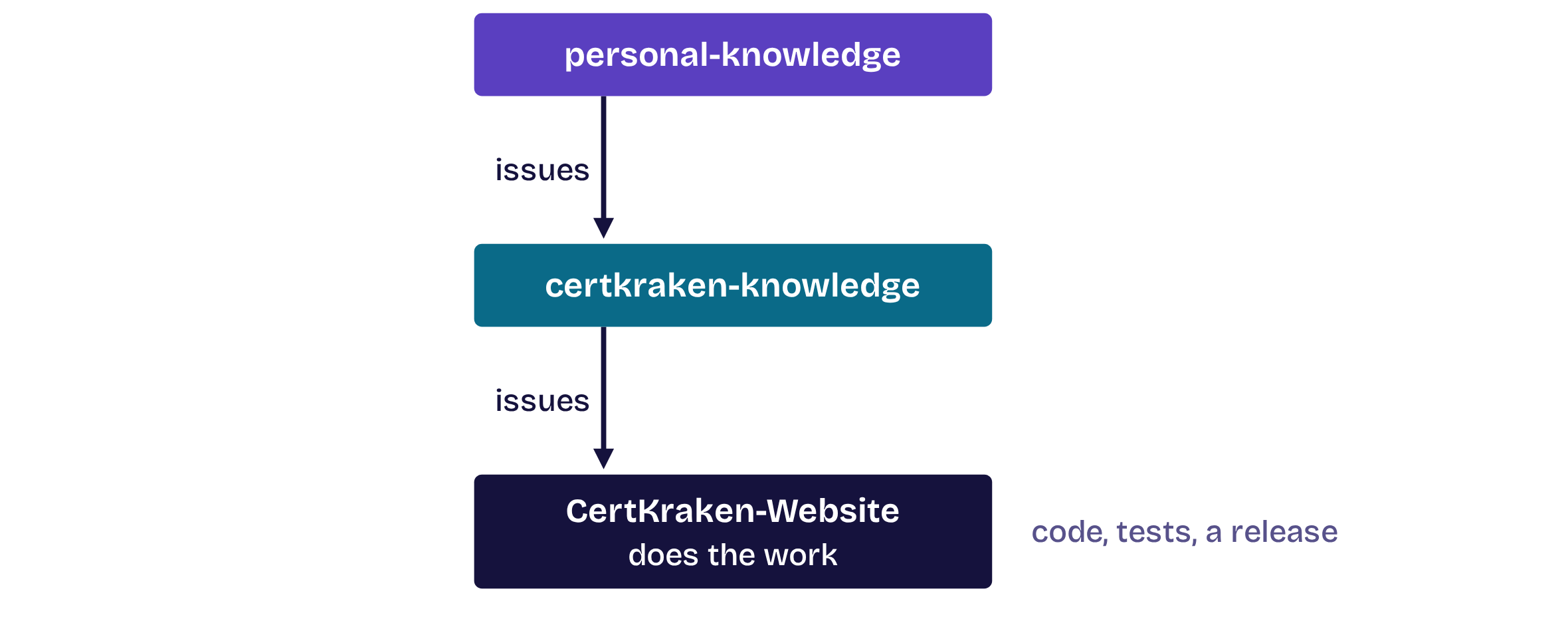
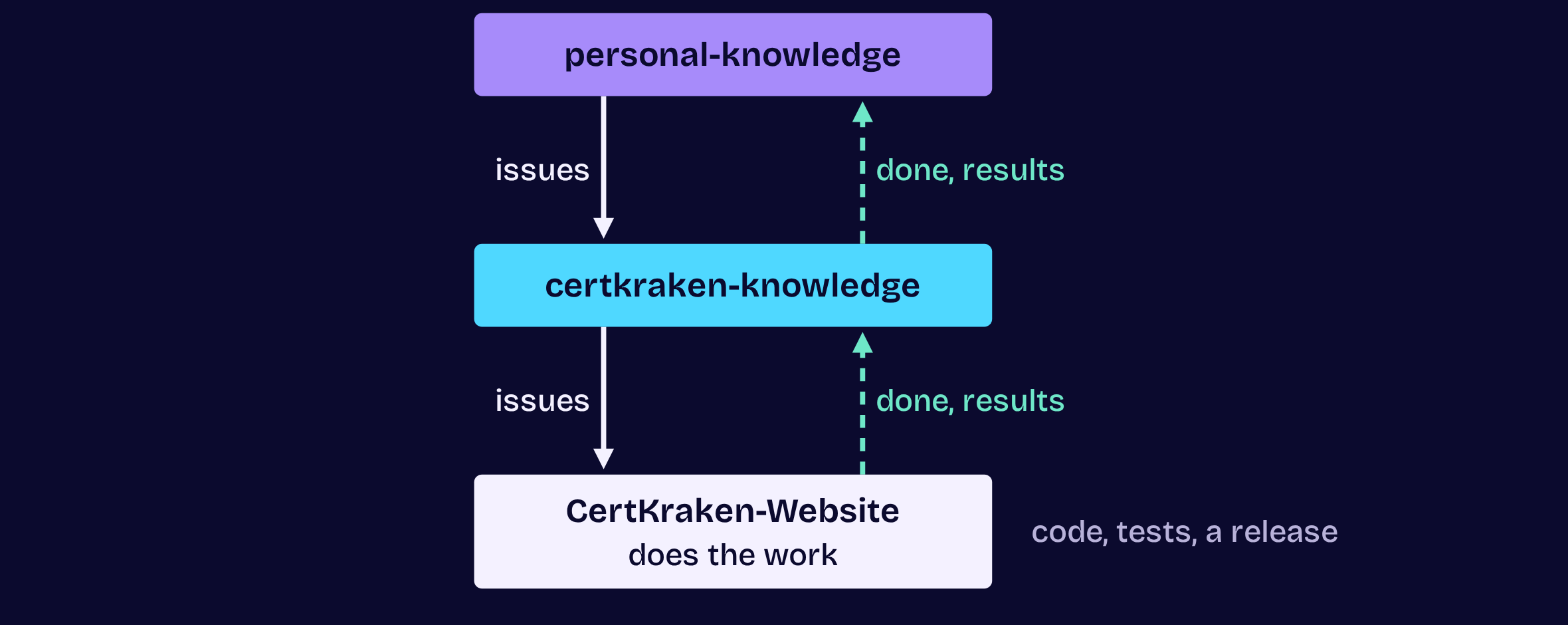
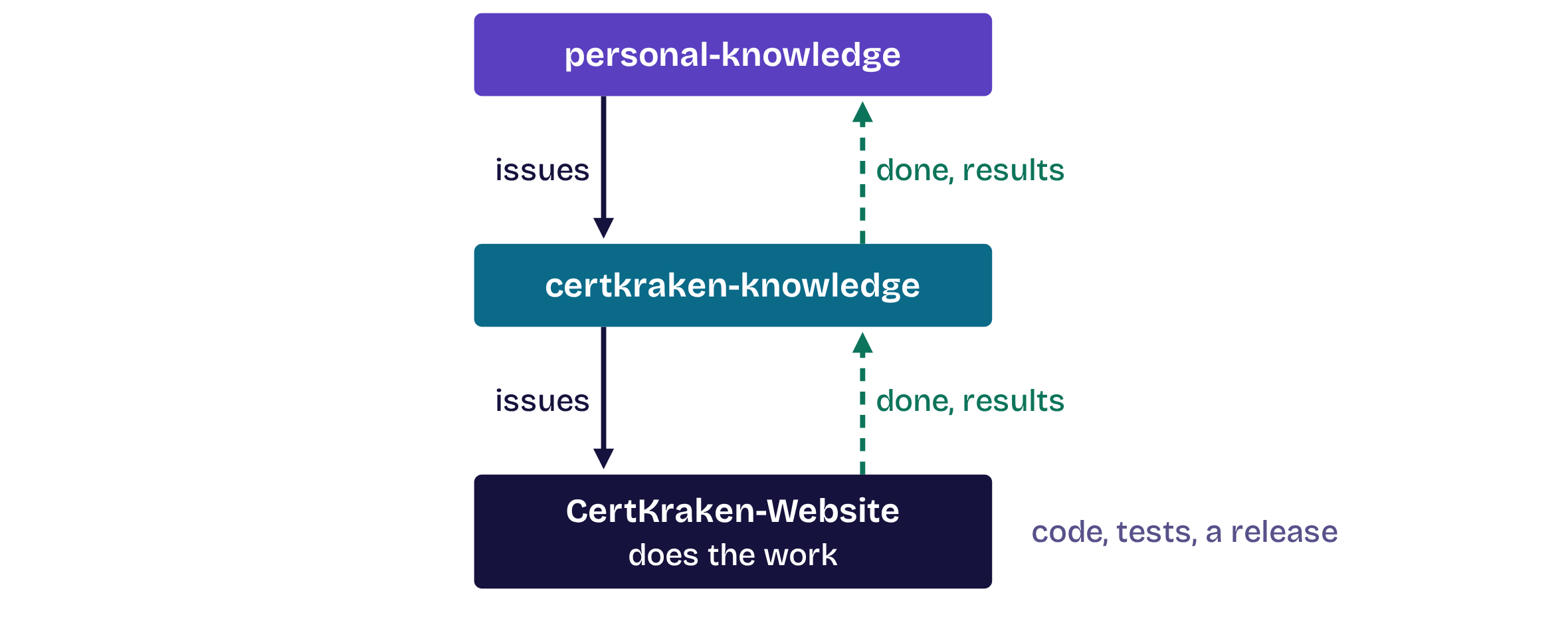
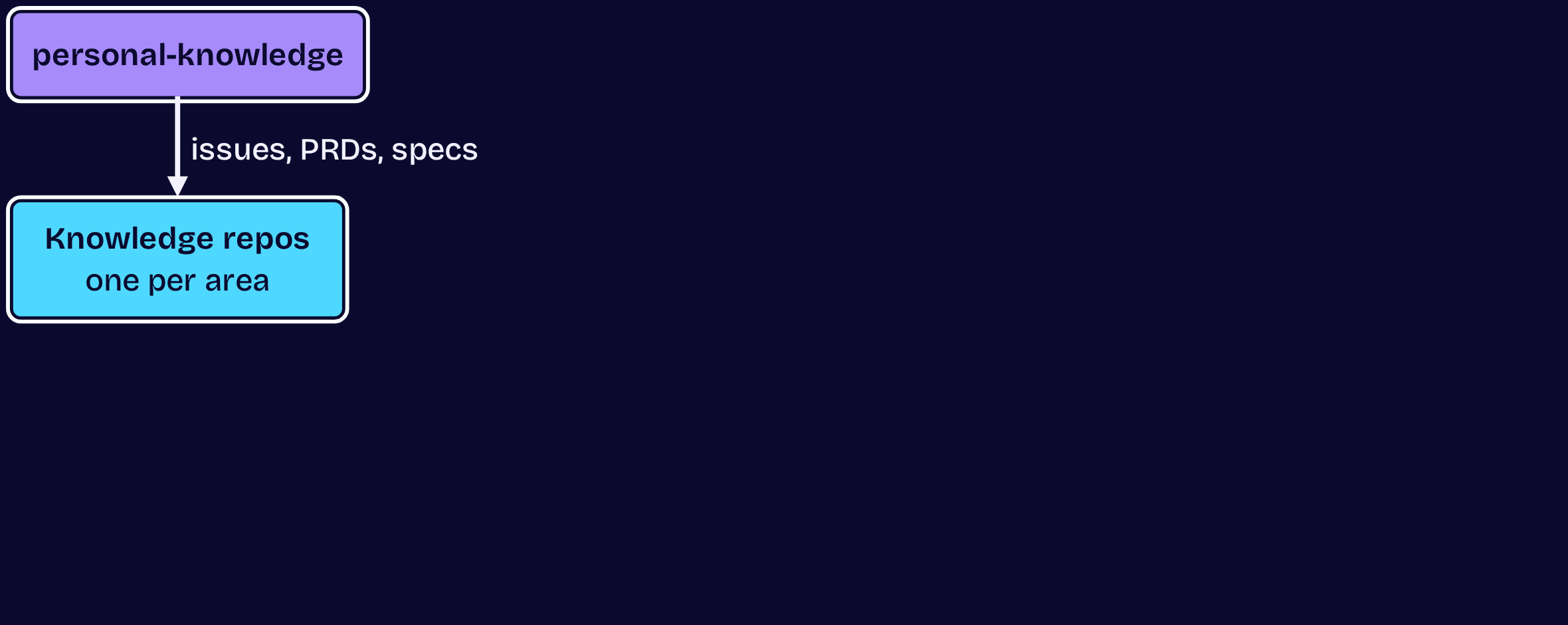
Issues down, results back to the strategy

Issues down, results back to the strategy, step 1 of 3Issues down, results back to the strategy, step 1 of 3Issues down, results back to the strategy, step 2 of 3Issues down, results back to the strategy, step 2 of 3Issues down, results back to the strategy, step 3 of 3Issues down, results back to the strategy, step 3 of 3
  1. Opening
  2. 1Structure
  3. 2Master
  4. 3Move
  5. 4Automate
  6. 5Dispatch
  7. Close

Tip 2 of 5 · Master

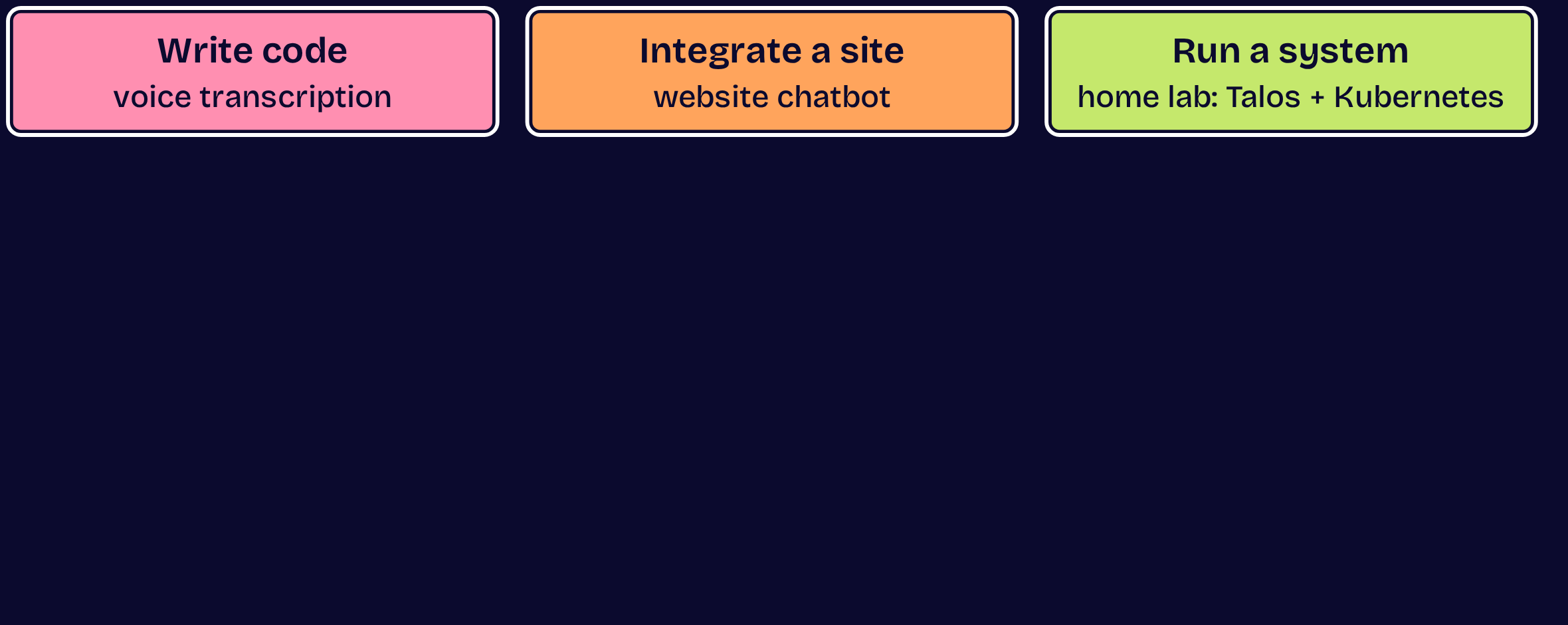
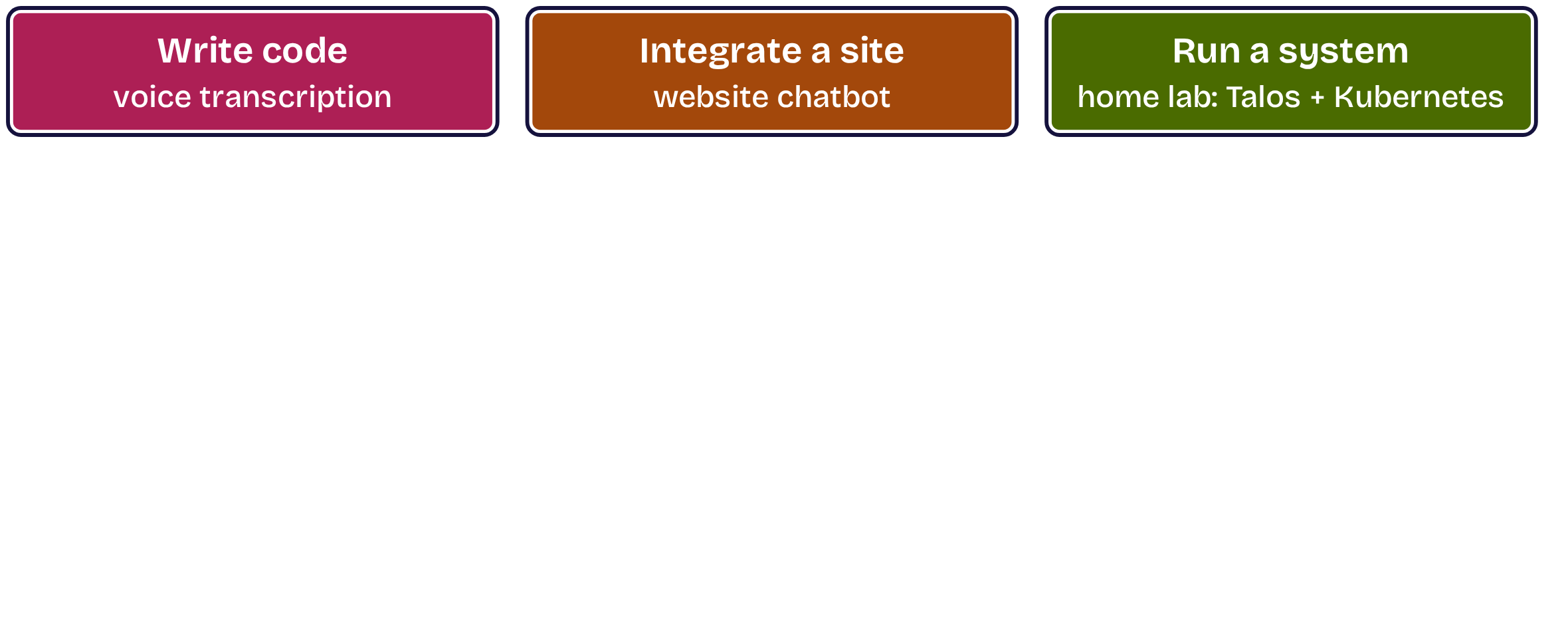
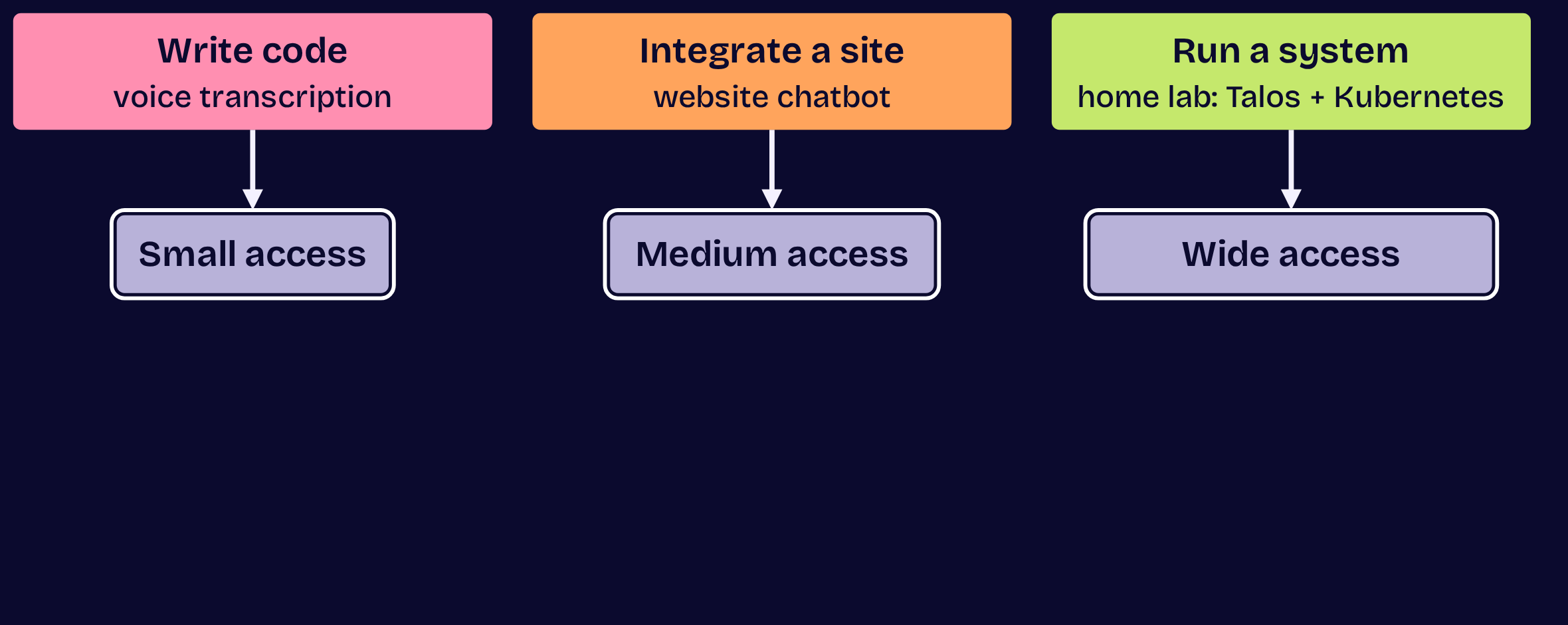
One of each workflow type

One of each workflow type, step 1 of 4One of each workflow type, step 1 of 4One of each workflow type, step 2 of 4One of each workflow type, step 2 of 4One of each workflow type, step 3 of 4One of each workflow type, step 3 of 4One of each workflow type, step 4 of 4One of each workflow type, step 4 of 4
  1. Opening
  2. 1Structure
  3. 2Master
  4. 3Move
  5. 4Automate
  6. 5Dispatch
  7. Close

Tip 2 of 5 · Master

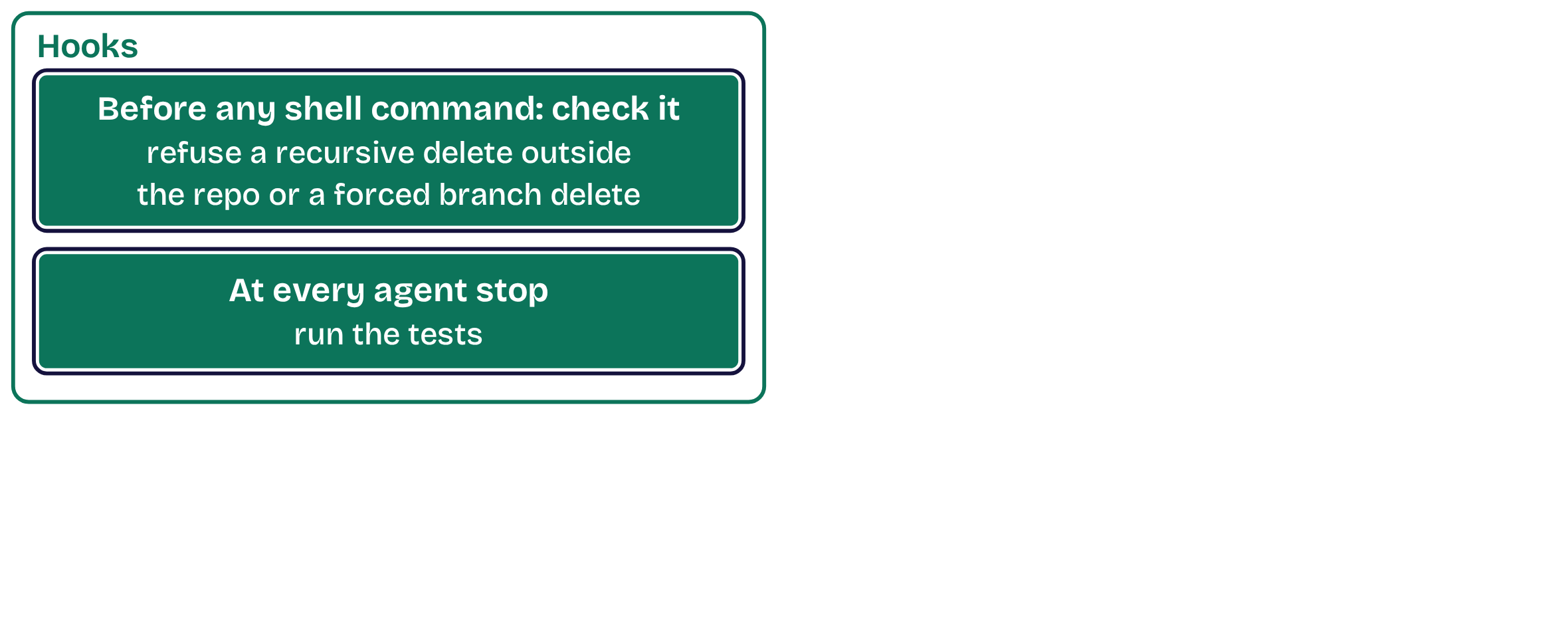
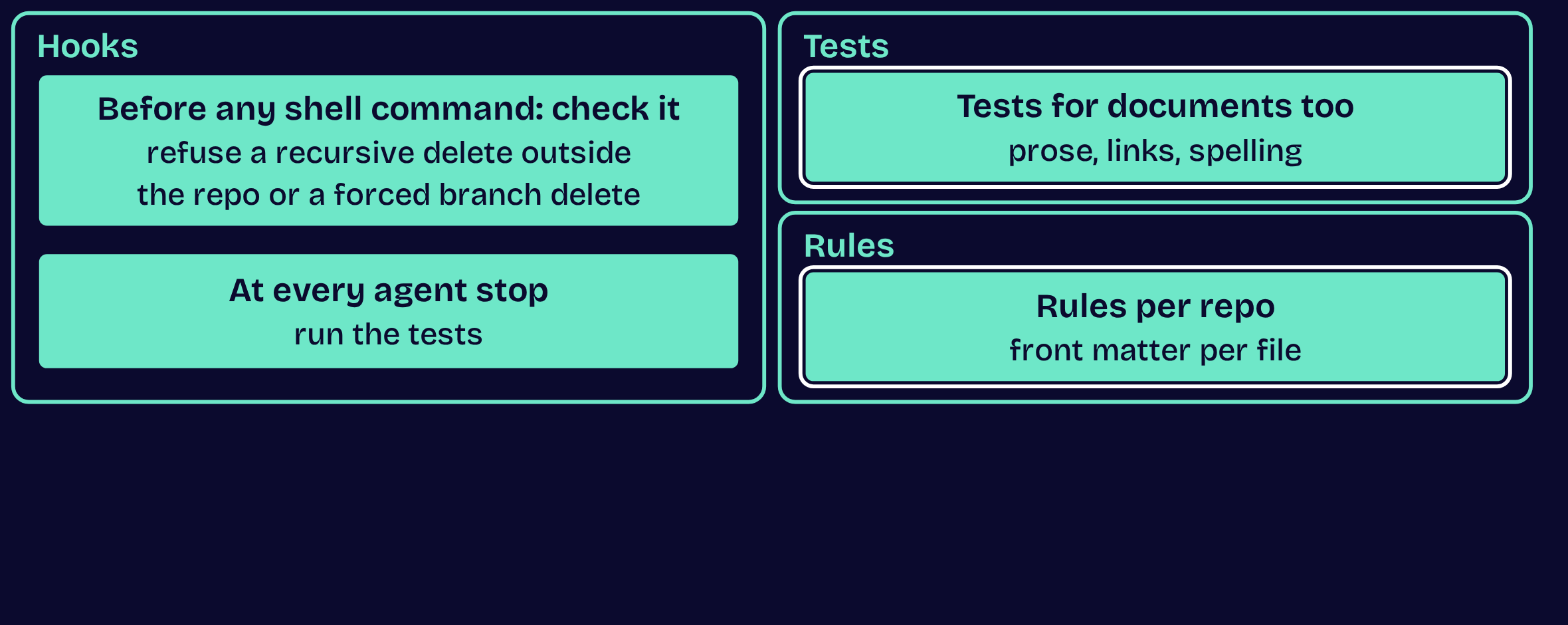
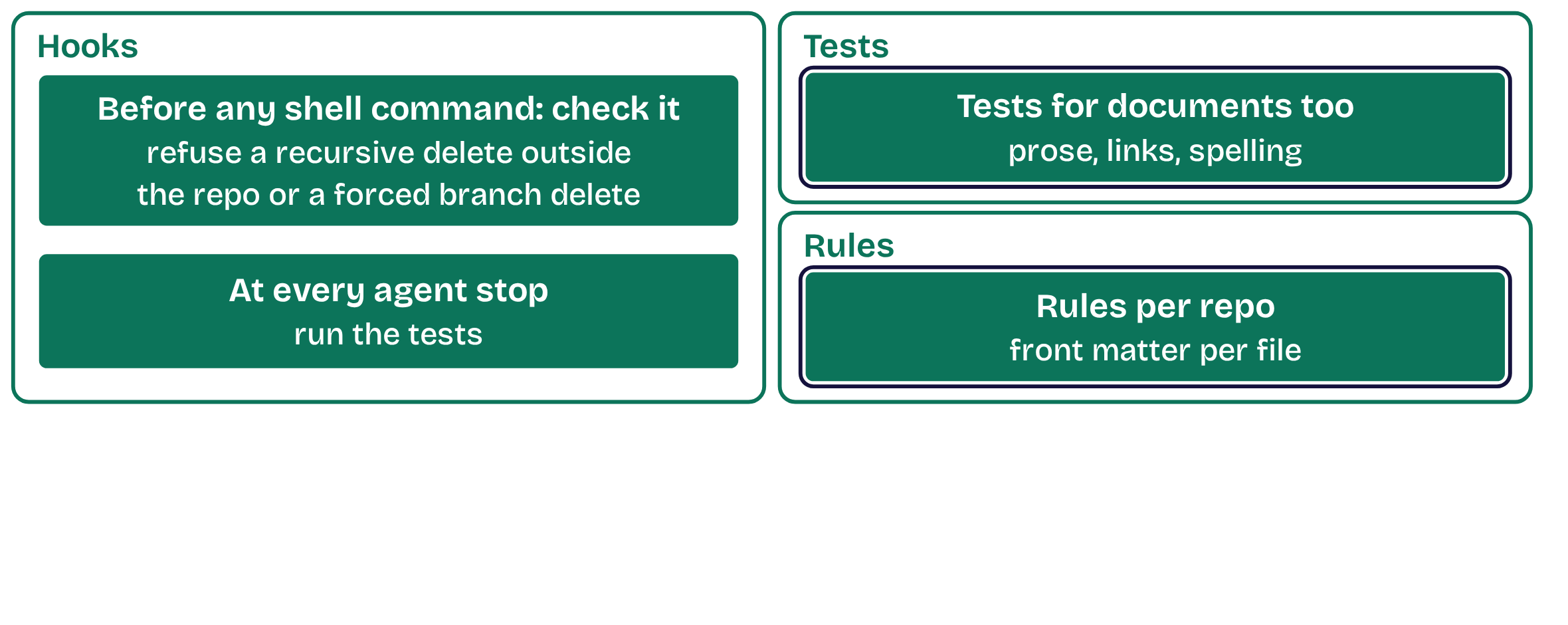
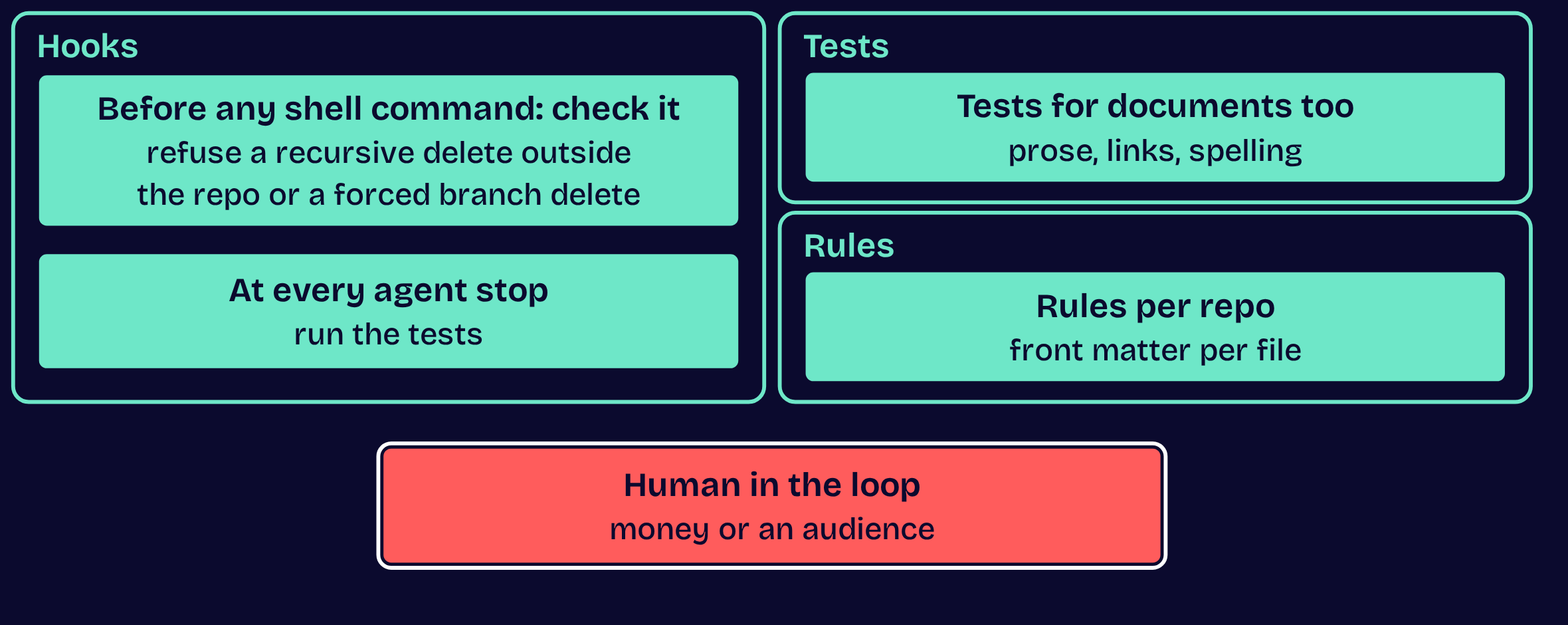
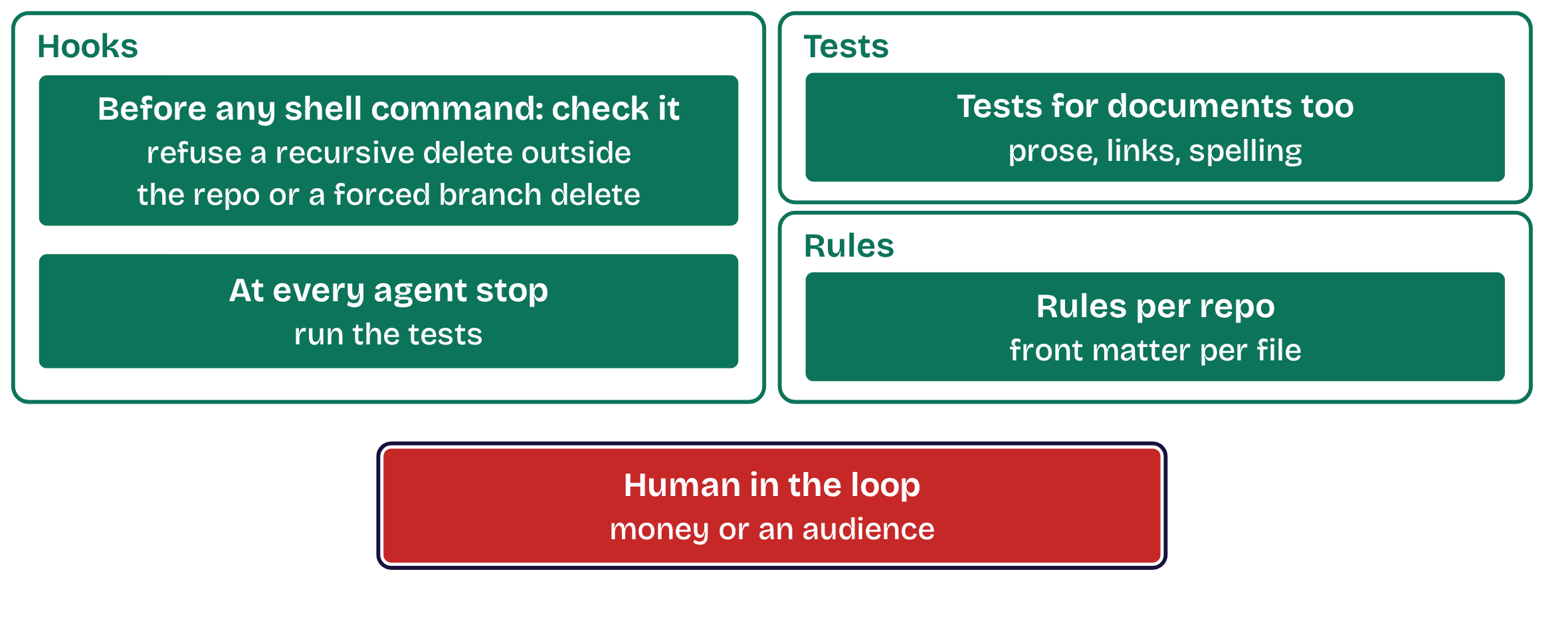
Hooks, tests and rules, in plain words

Hooks, tests and rules, in plain words, step 1 of 3Hooks, tests and rules, in plain words, step 1 of 3Hooks, tests and rules, in plain words, step 2 of 3Hooks, tests and rules, in plain words, step 2 of 3Hooks, tests and rules, in plain words, step 3 of 3Hooks, tests and rules, in plain words, step 3 of 3
  1. Opening
  2. 1Structure
  3. 2Master
  4. 3Move
  5. 4Automate
  6. 5Dispatch
  7. Close

Tip 2 of 5 · Master

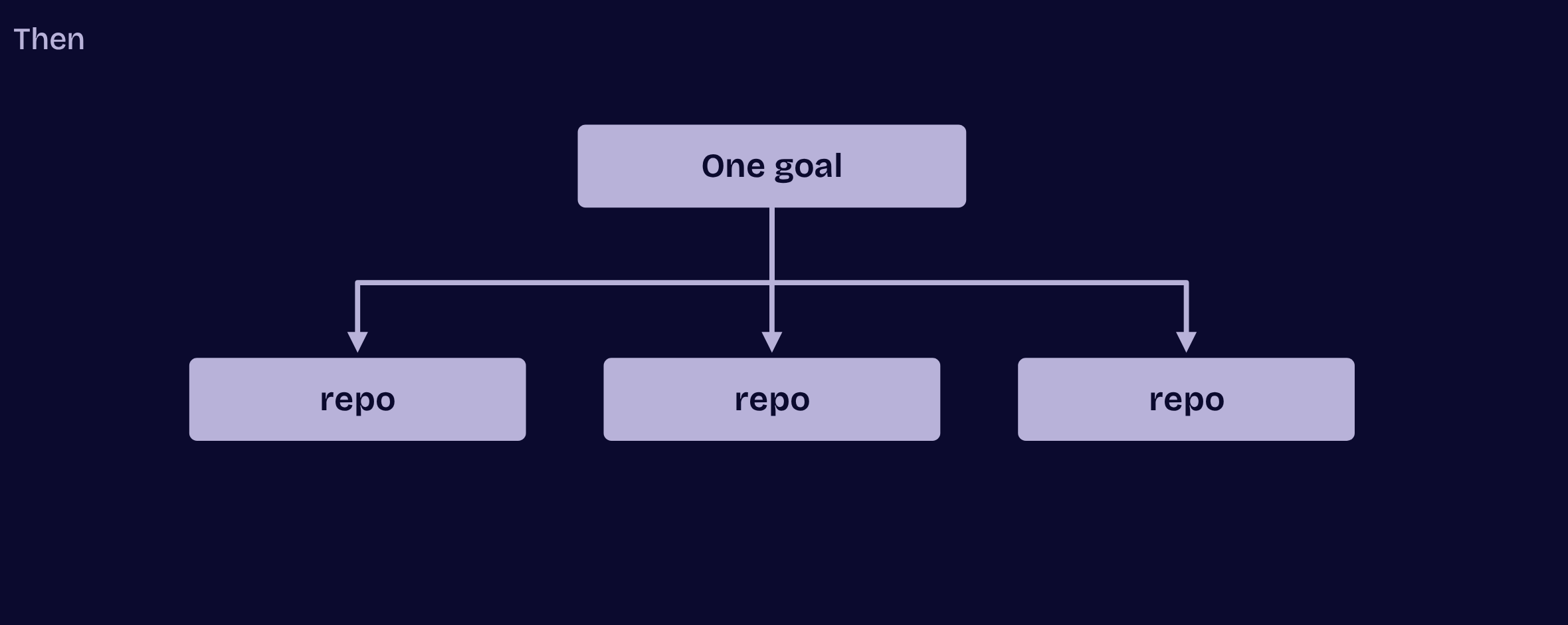
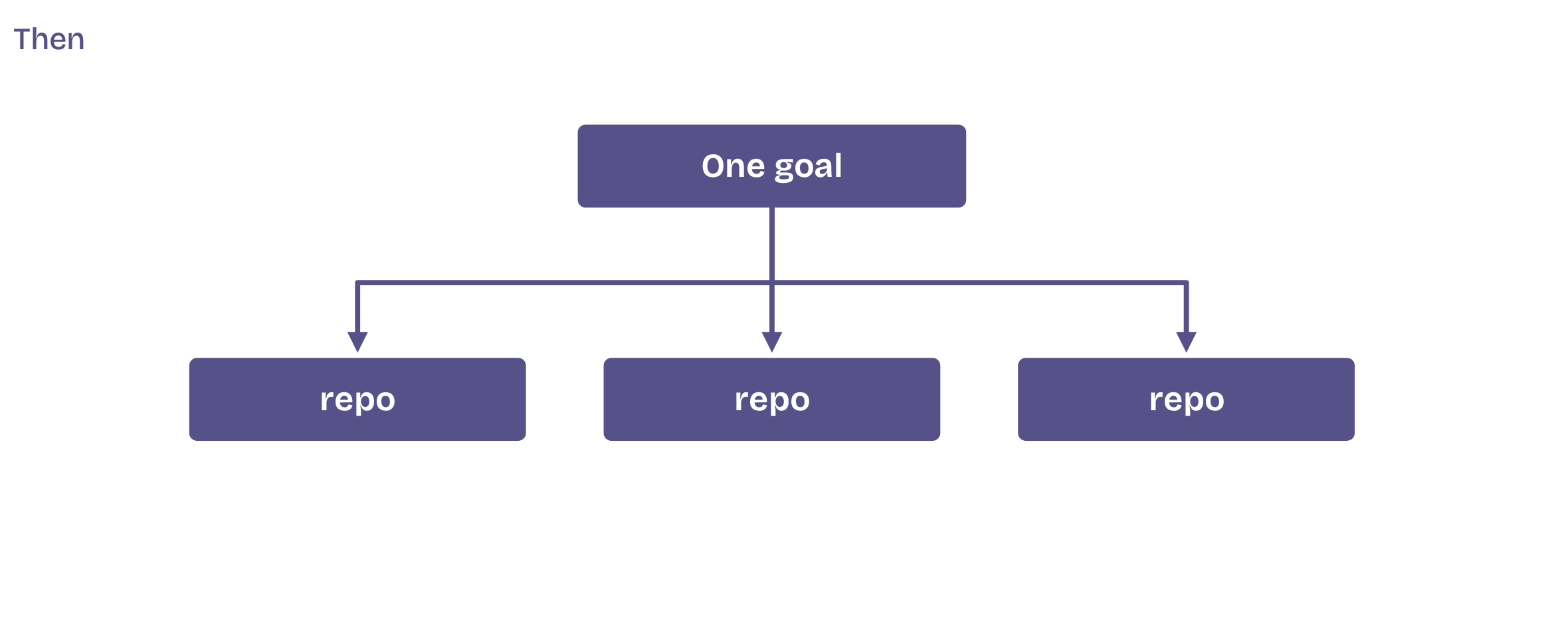
Then another goal, and another

Then another goal, and another, step 1 of 2Then another goal, and another, step 1 of 2Then another goal, and another, step 2 of 2Then another goal, and another, step 2 of 2
  1. Opening
  2. 1Structure
  3. 2Master
  4. 3Move
  5. 4Automate
  6. 5Dispatch
  7. Close

3

Tip 3 of 5

Move to one box

  1. Opening
  2. 1Structure
  3. 2Master
  4. 3Move
  5. 4Automate
  6. 5Dispatch
  7. Close

Tip 3 of 5 · Move

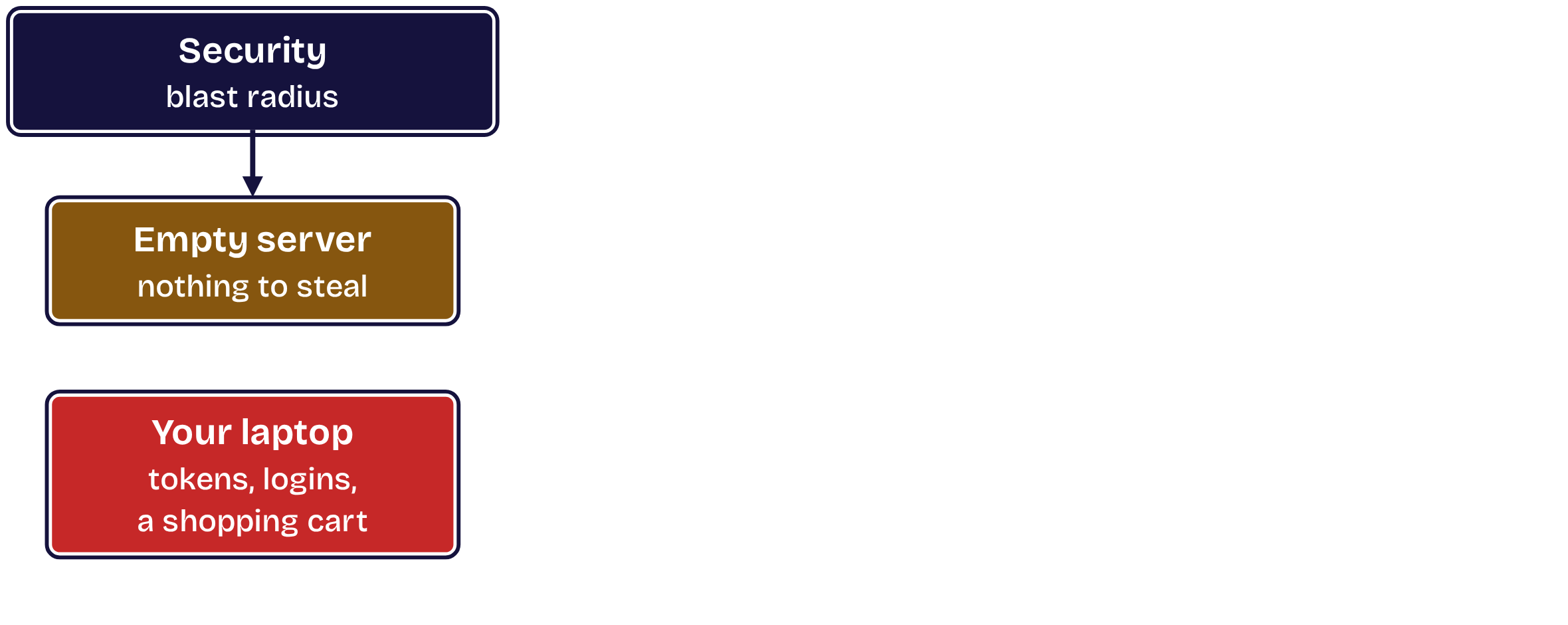
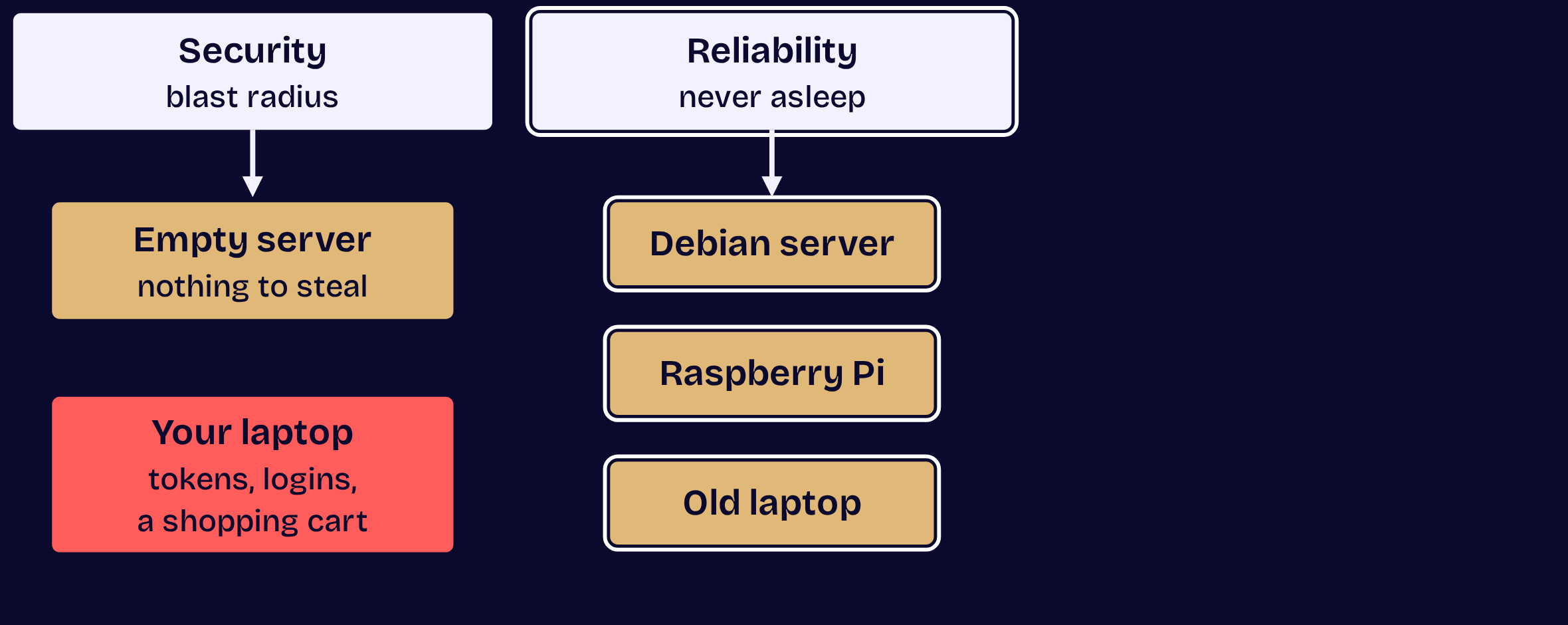
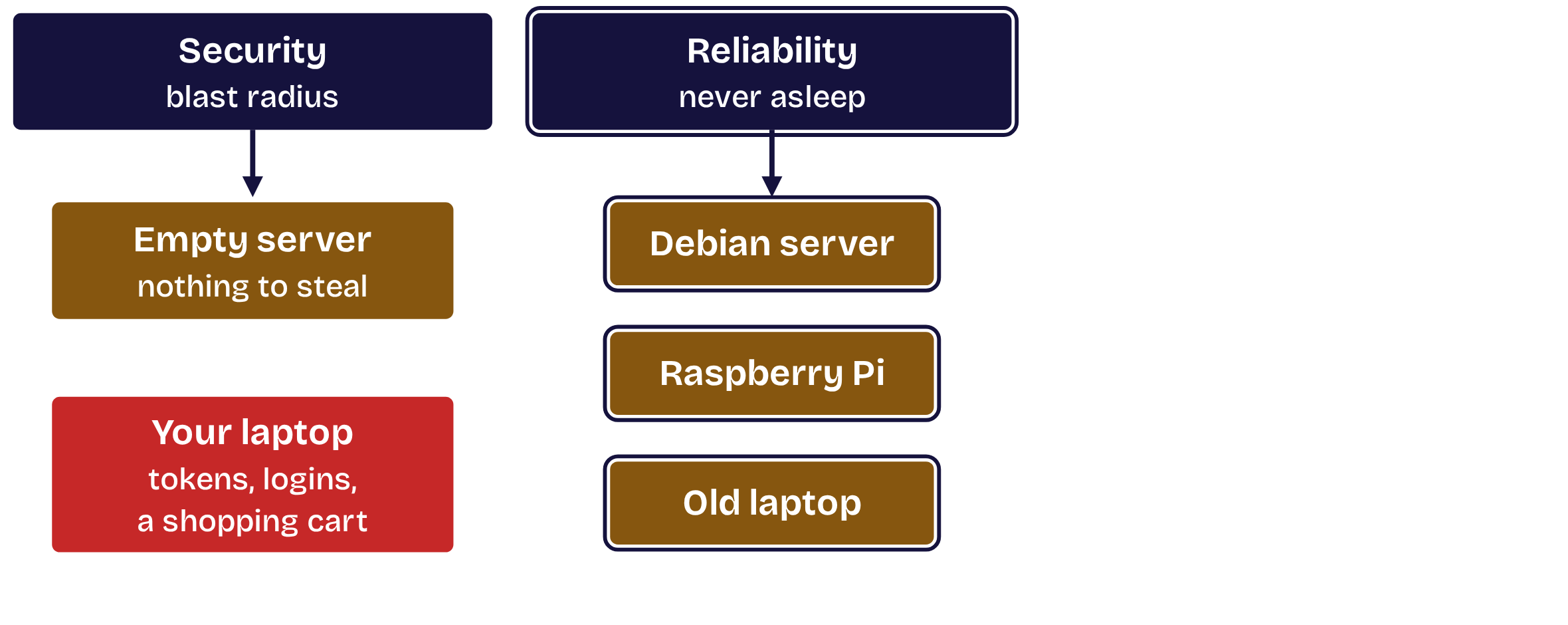
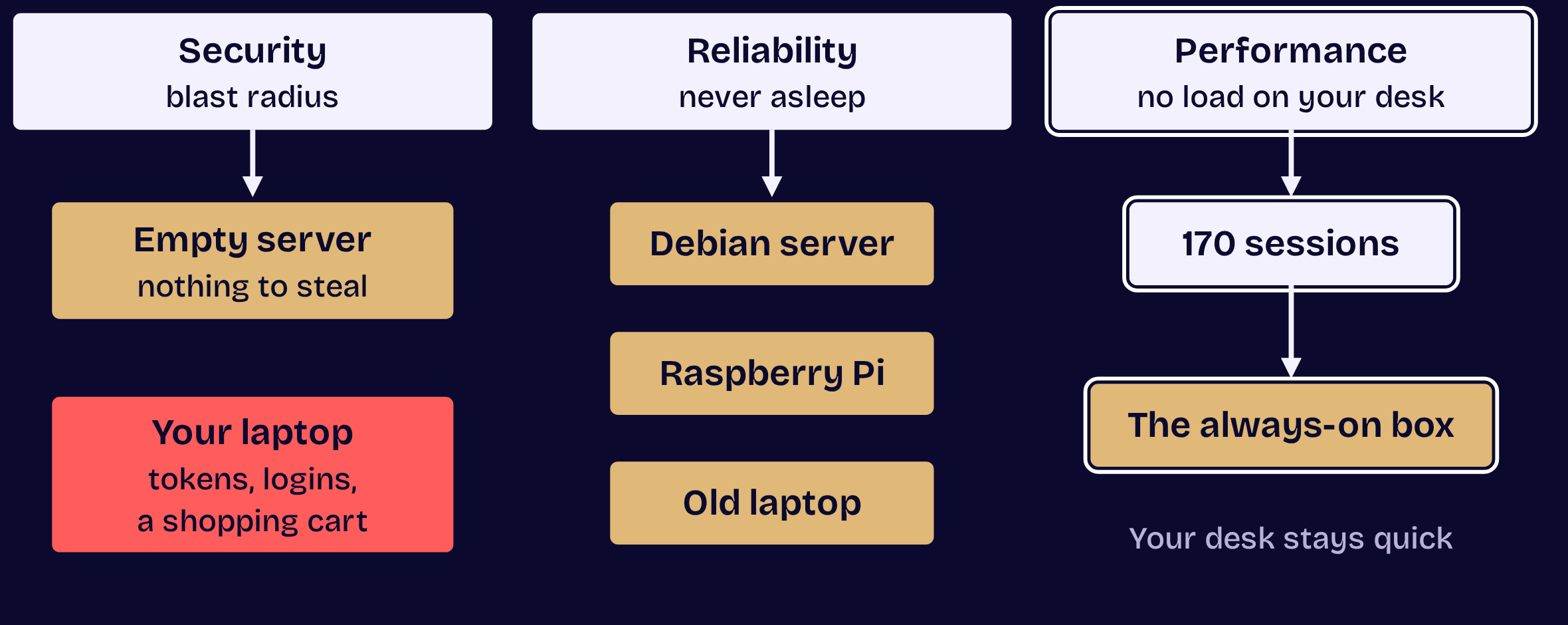
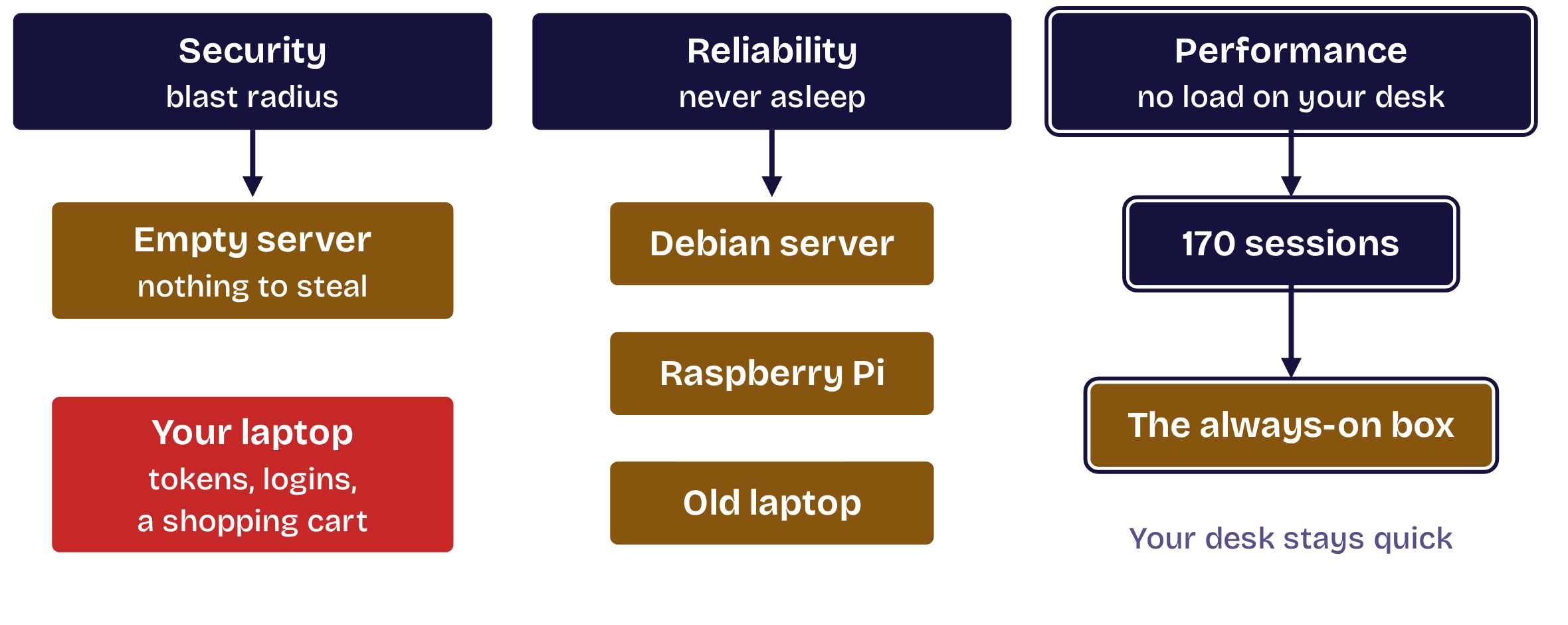
Security, reliability, performance

Three reasons, and the first is blast radius.

  1. Opening
  2. 1Structure
  3. 2Master
  4. 3Move
  5. 4Automate
  6. 5Dispatch
  7. Close

Tip 3 of 5 · Move

Security, reliability and performance

Security, reliability and performance, step 1 of 3Security, reliability and performance, step 1 of 3Security, reliability and performance, step 2 of 3Security, reliability and performance, step 2 of 3Security, reliability and performance, step 3 of 3Security, reliability and performance, step 3 of 3
  1. Opening
  2. 1Structure
  3. 2Master
  4. 3Move
  5. 4Automate
  6. 5Dispatch
  7. Close

Tip 3 of 5 · Move

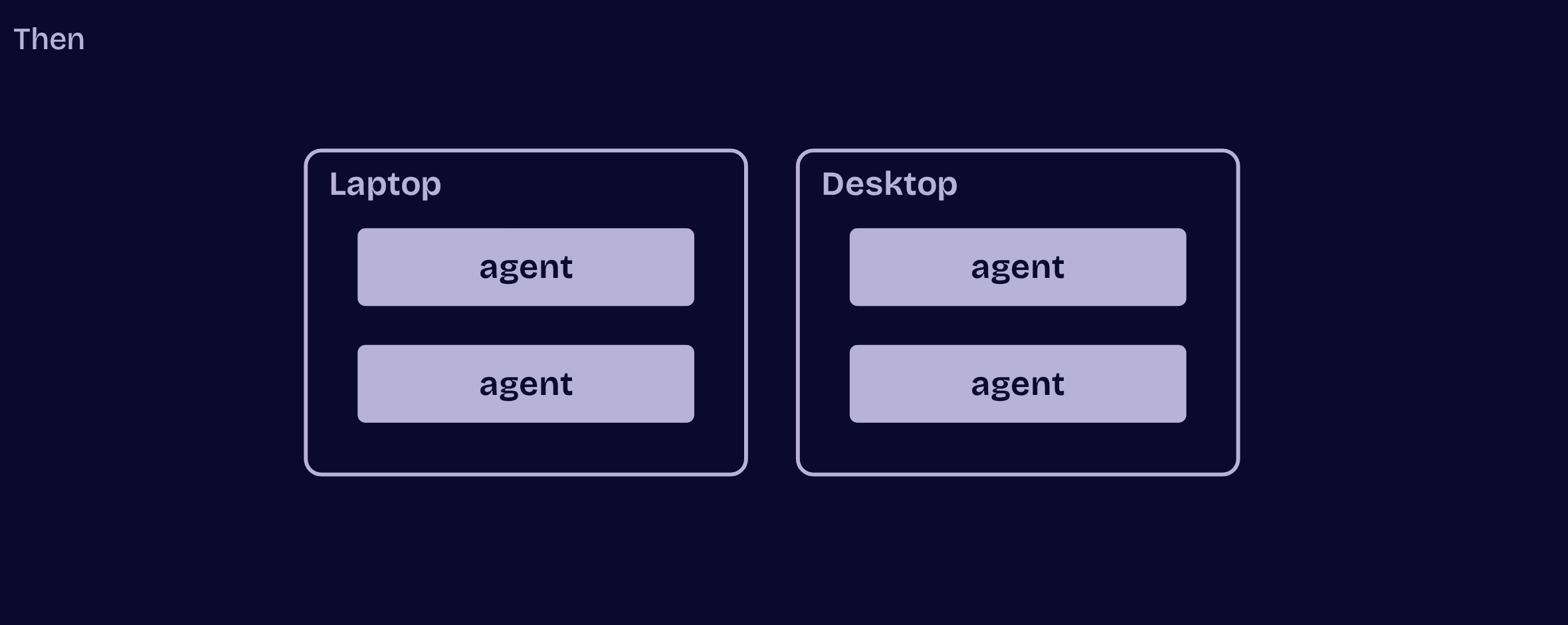
From my laptop to one box

From my laptop to one box, step 1 of 2From my laptop to one box, step 1 of 2From my laptop to one box, step 2 of 2From my laptop to one box, step 2 of 2
  1. Opening
  2. 1Structure
  3. 2Master
  4. 3Move
  5. 4Automate
  6. 5Dispatch
  7. Close

4

Tip 4 of 5

Automate your connections

  1. Opening
  2. 1Structure
  3. 2Master
  4. 3Move
  5. 4Automate
  6. 5Dispatch
  7. Close

Tip 4 of 5 · Automate

Never retype an SSH command

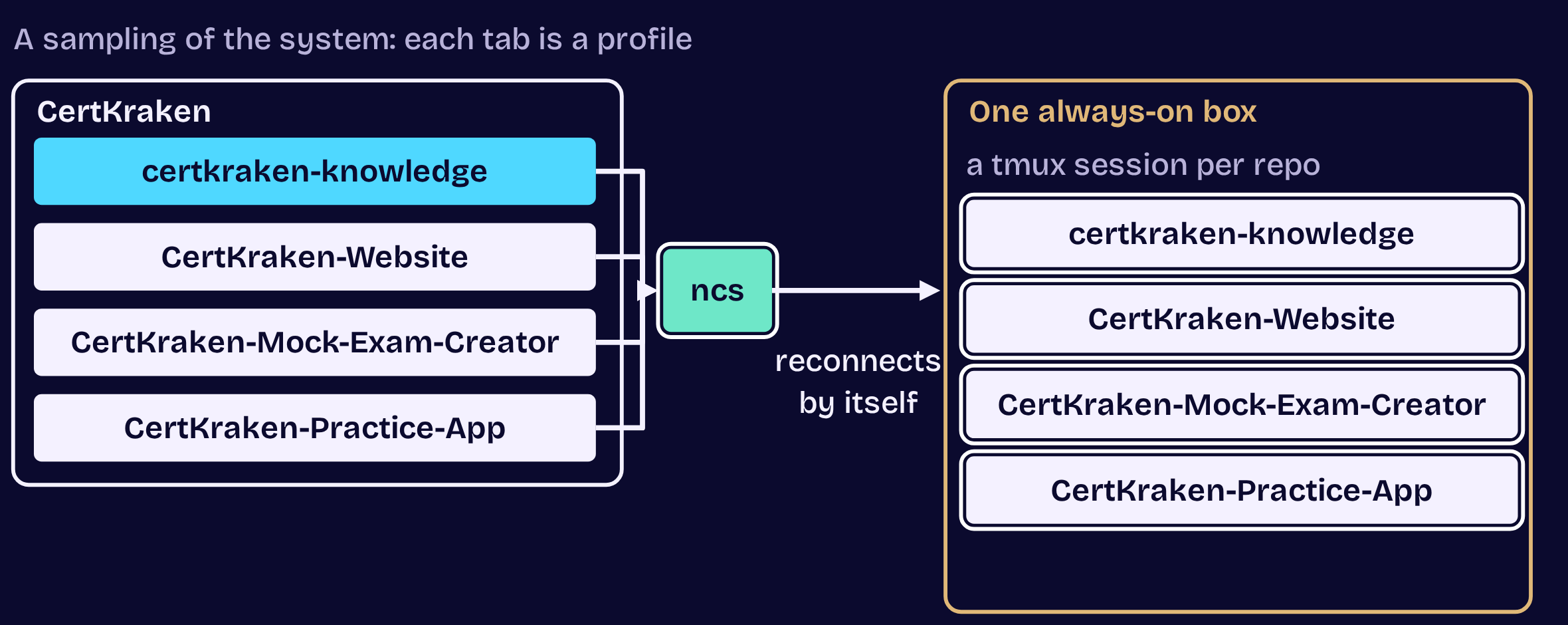
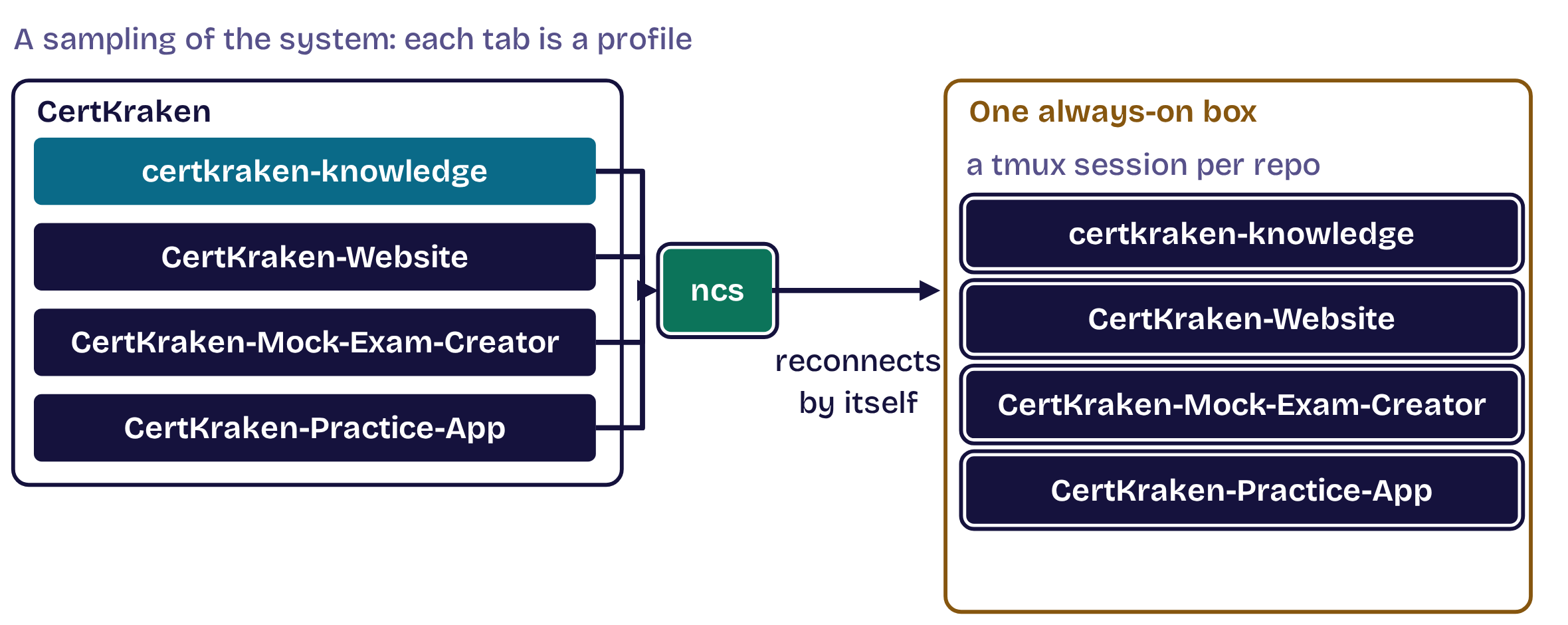
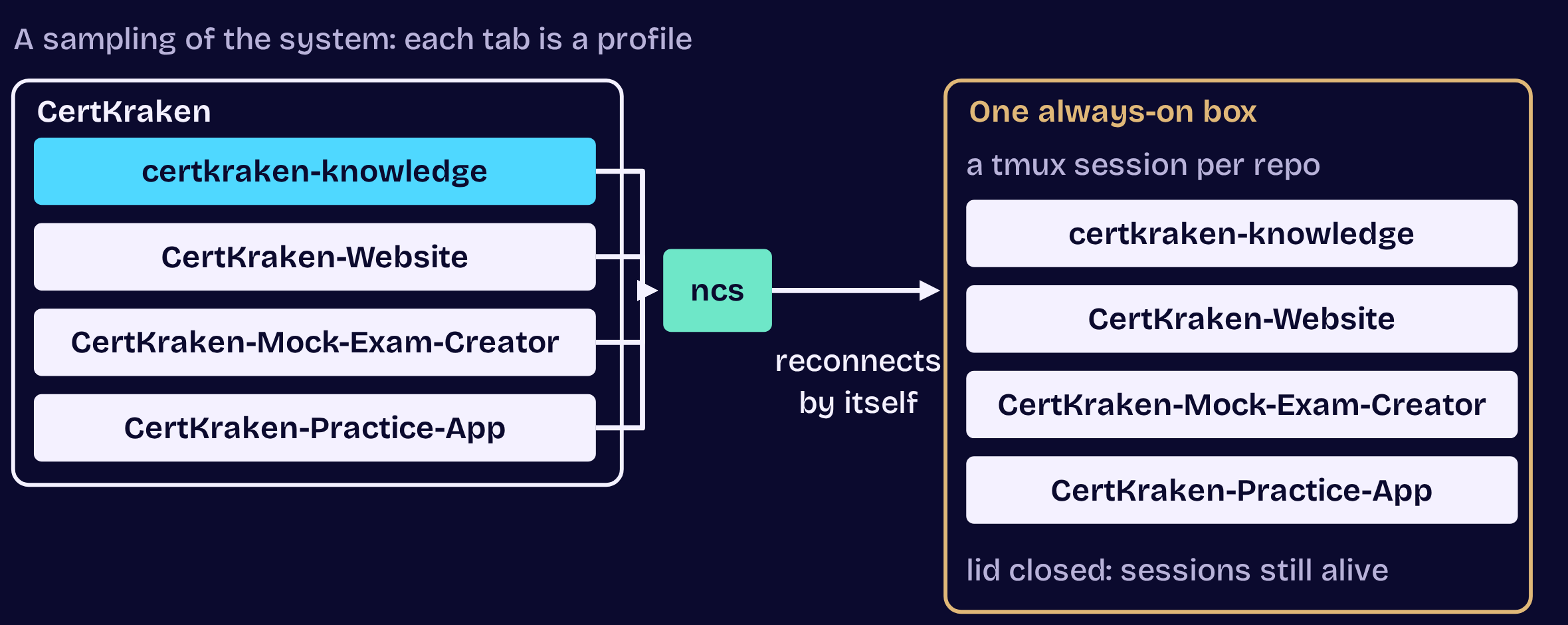
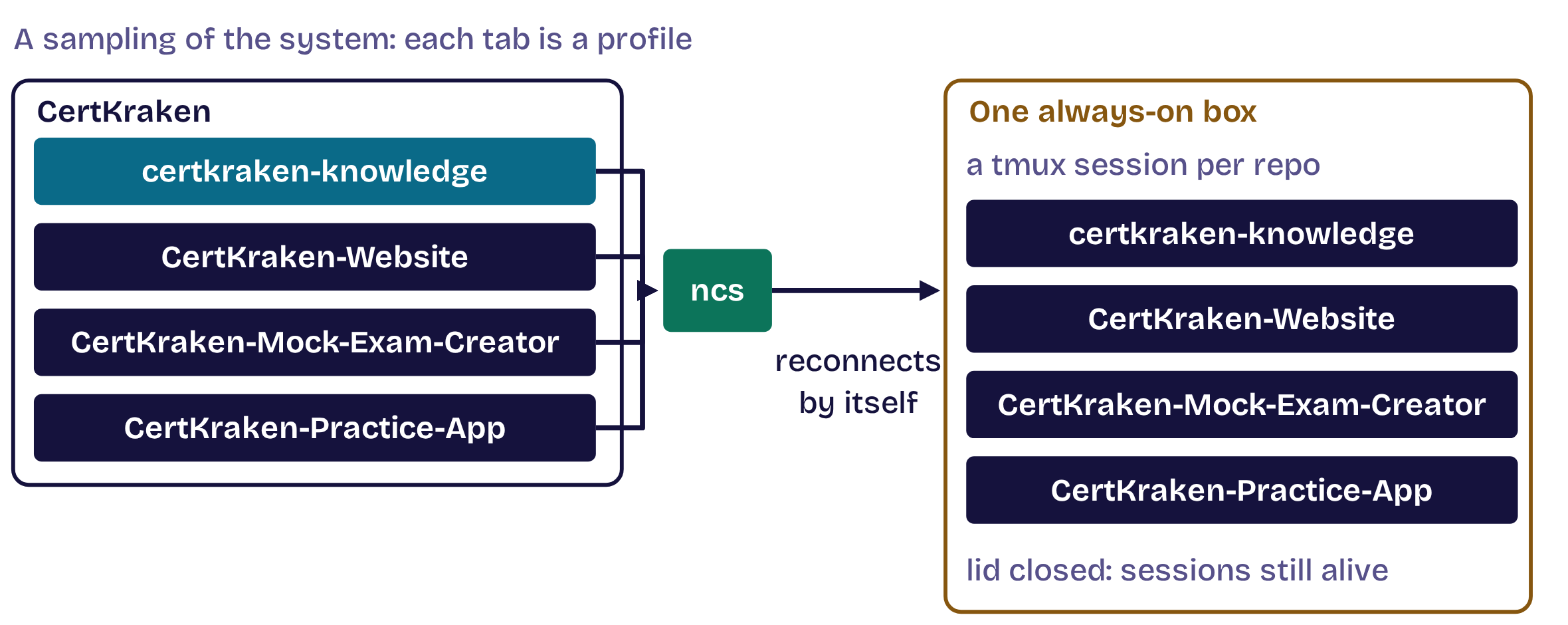
Profiles, groups, reconnects and restore.

  1. Opening
  2. 1Structure
  3. 2Master
  4. 3Move
  5. 4Automate
  6. 5Dispatch
  7. Close

Tip 4 of 5 · Automate

A reconnect loop that beats autossh

A reconnect loop that beats autossh, step 1 of 3A reconnect loop that beats autossh, step 1 of 3A reconnect loop that beats autossh, step 2 of 3A reconnect loop that beats autossh, step 2 of 3A reconnect loop that beats autossh, step 3 of 3A reconnect loop that beats autossh, step 3 of 3
  1. Opening
  2. 1Structure
  3. 2Master
  4. 3Move
  5. 4Automate
  6. 5Dispatch
  7. Close

Tip 4 of 5 · Automate

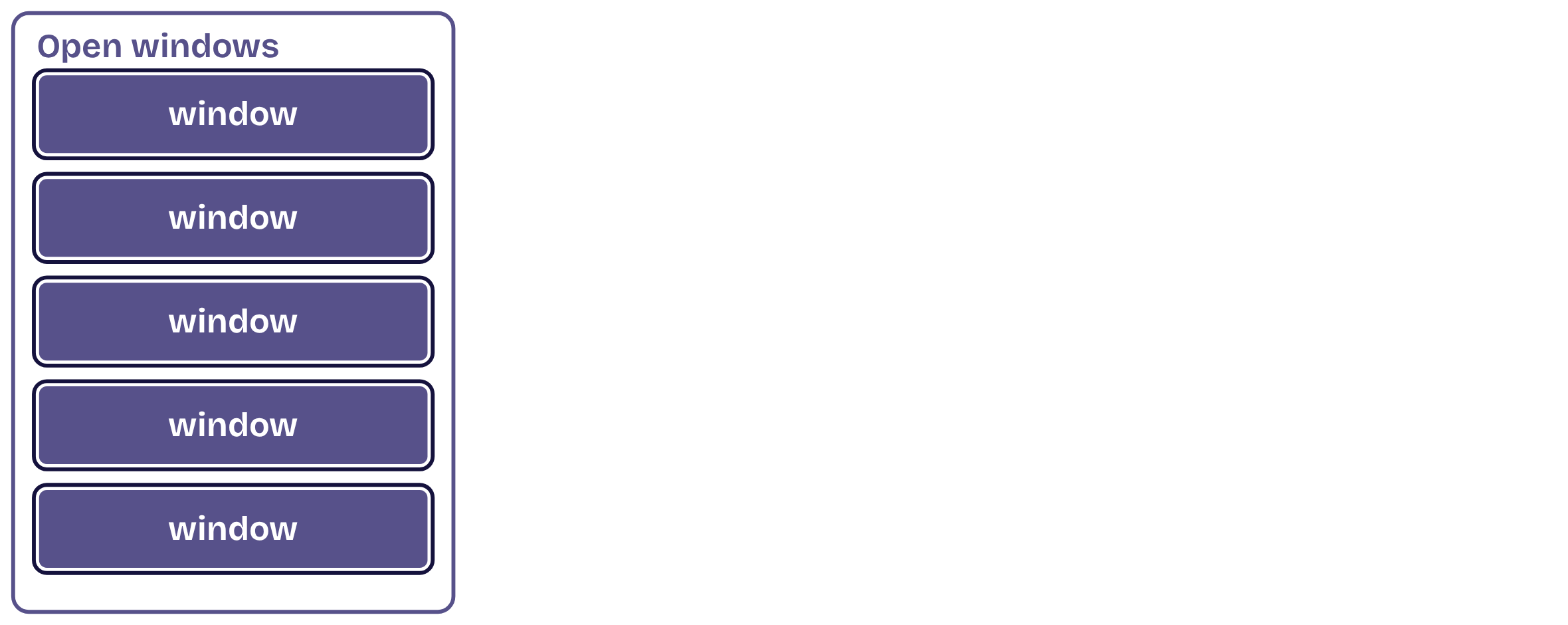
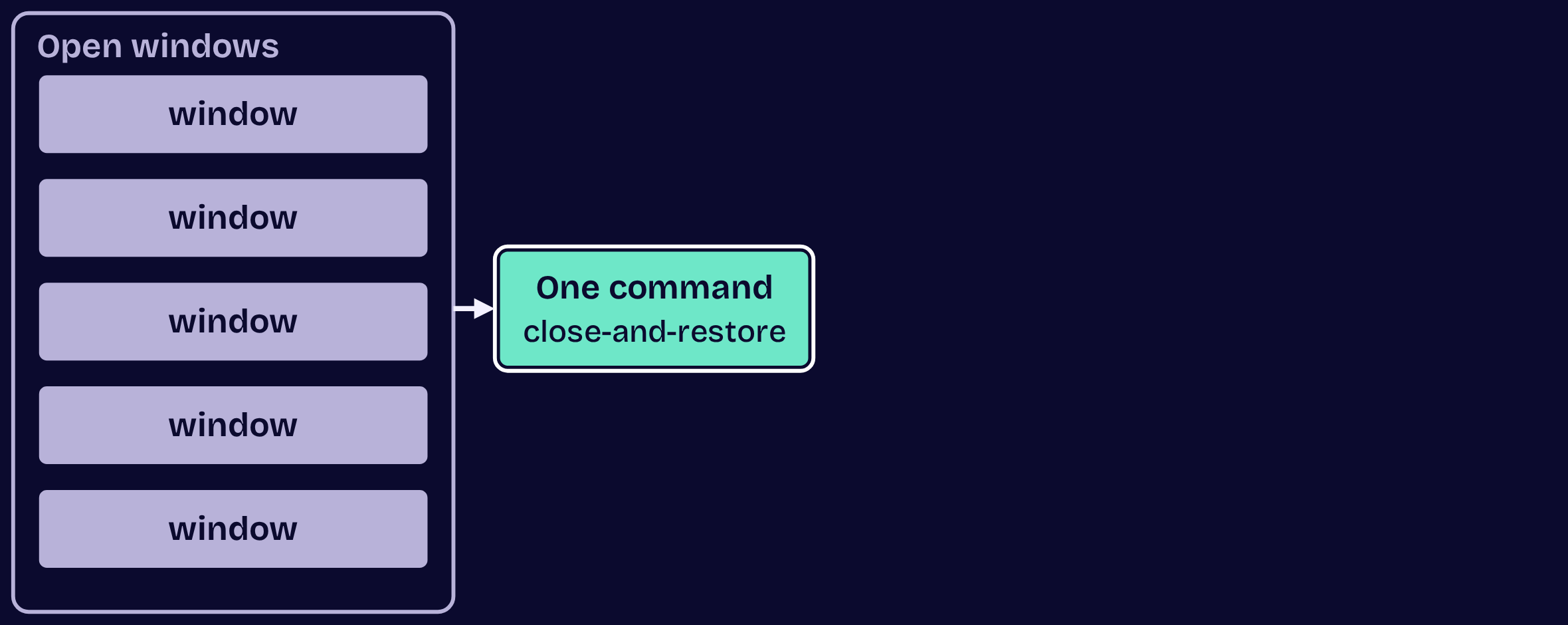
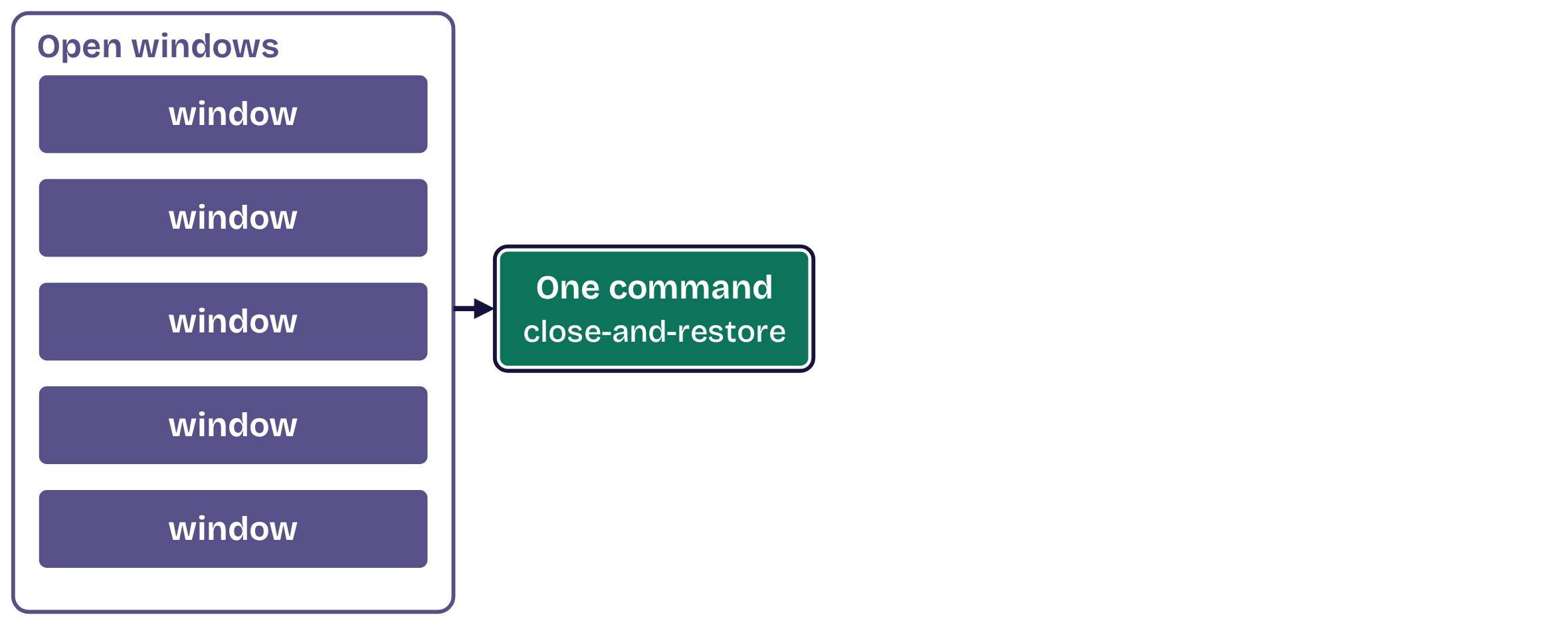
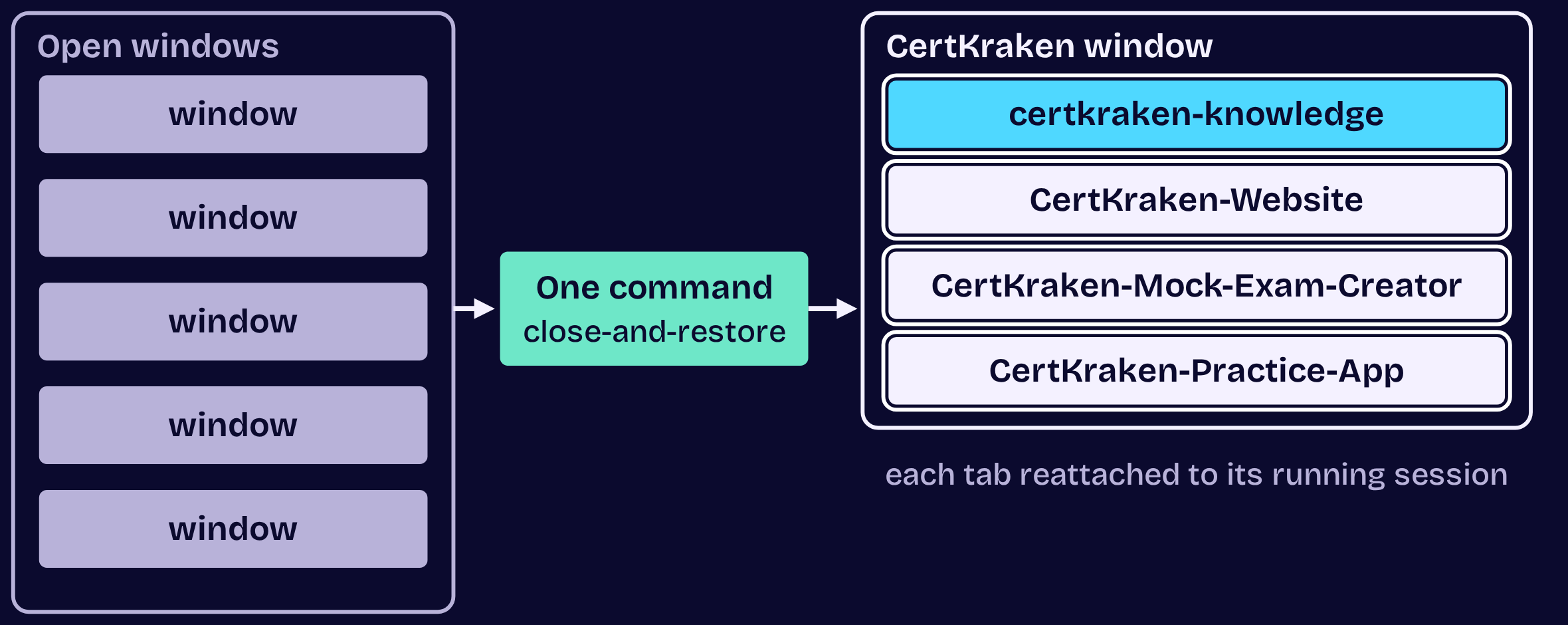
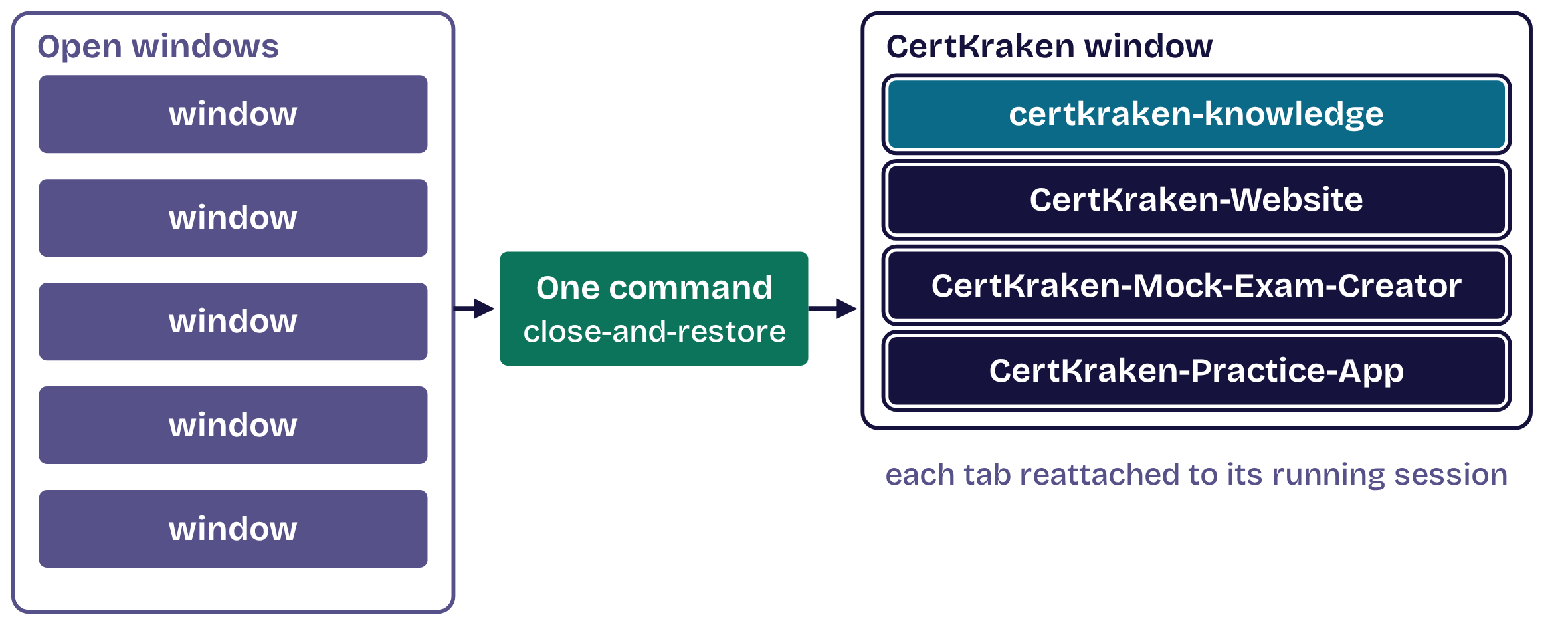
Close and restore: one command

Close and restore: one command, step 1 of 3Close and restore: one command, step 1 of 3Close and restore: one command, step 2 of 3Close and restore: one command, step 2 of 3Close and restore: one command, step 3 of 3Close and restore: one command, step 3 of 3
  1. Opening
  2. 1Structure
  3. 2Master
  4. 3Move
  5. 4Automate
  6. 5Dispatch
  7. Close

5

Tip 5 of 5

Dispatch the work

  1. Opening
  2. 1Structure
  3. 2Master
  4. 3Move
  5. 4Automate
  6. 5Dispatch
  7. Close

Tip 5 of 5 · Dispatch

Your first agentic loop

Your first agentic loop, step 1 of 3Your first agentic loop, step 1 of 3Your first agentic loop, step 2 of 3Your first agentic loop, step 2 of 3Your first agentic loop, step 3 of 3Your first agentic loop, step 3 of 3
  1. Opening
  2. 1Structure
  3. 2Master
  4. 3Move
  5. 4Automate
  6. 5Dispatch
  7. Close

Tip 5 of 5 · Dispatch

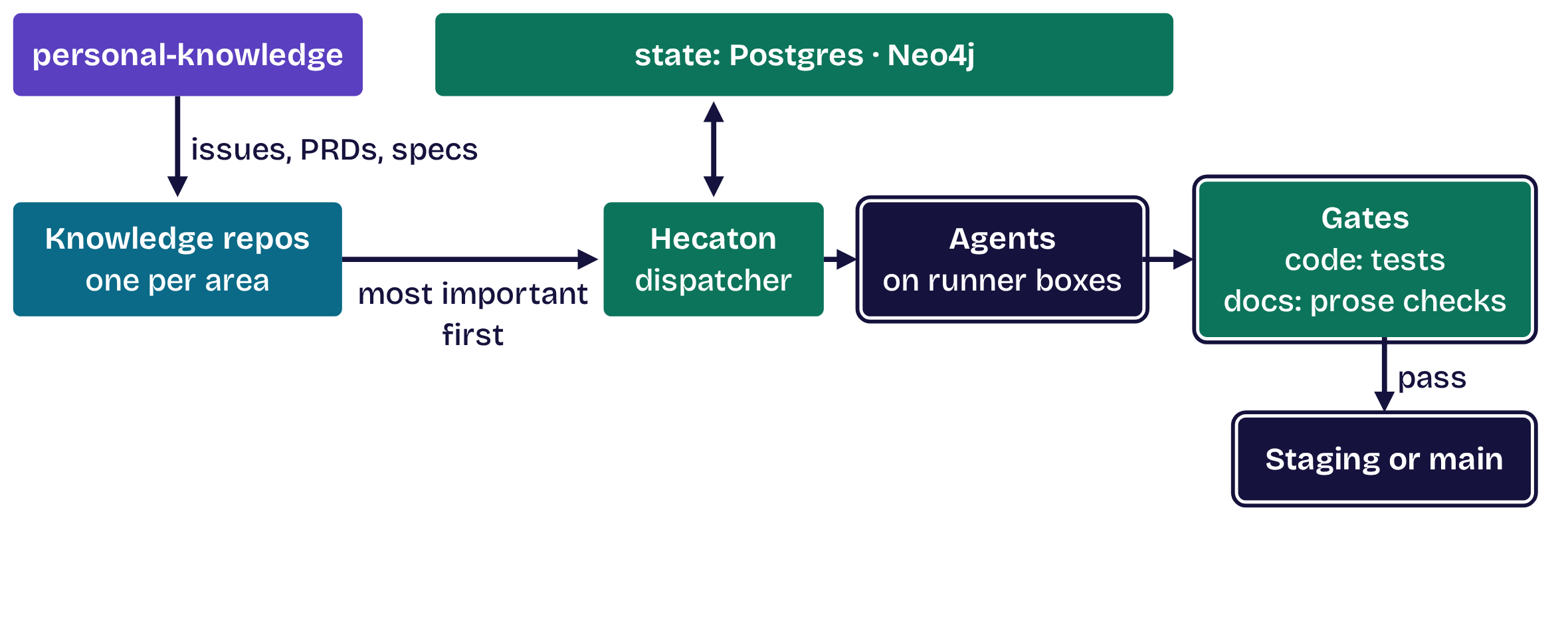
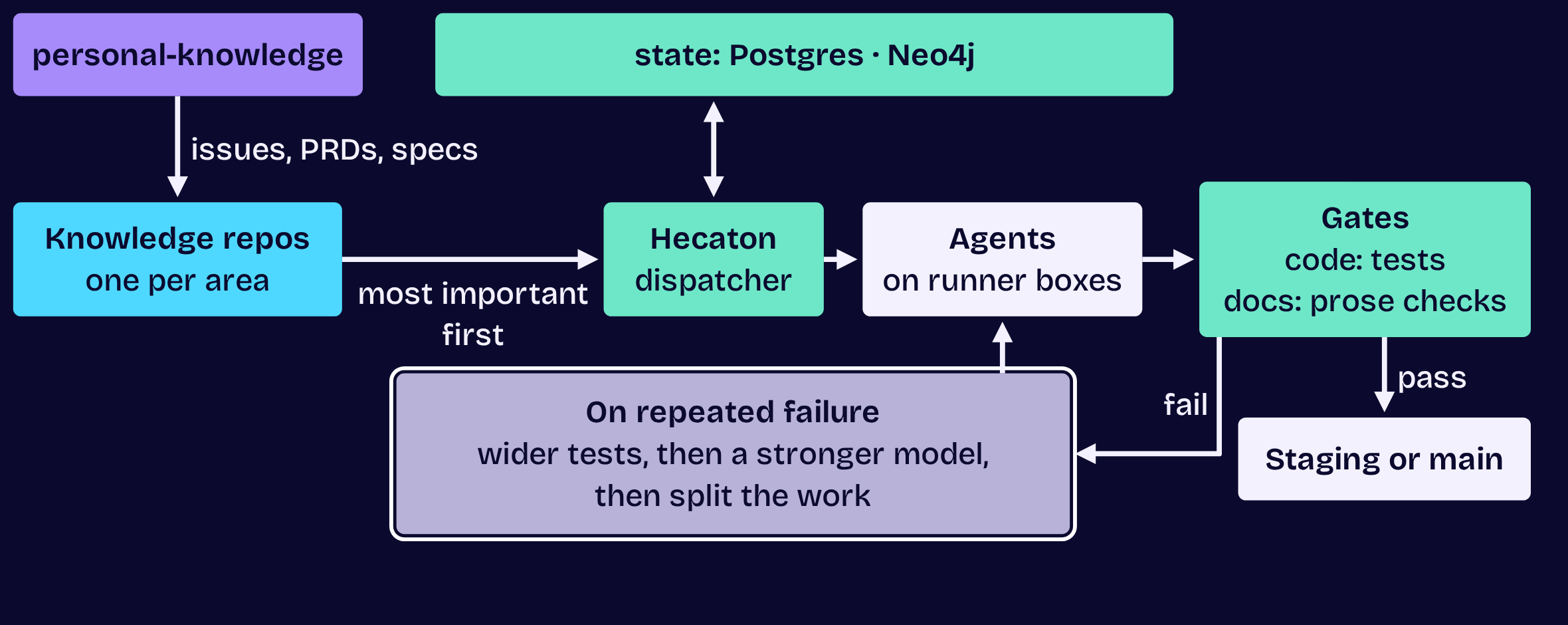
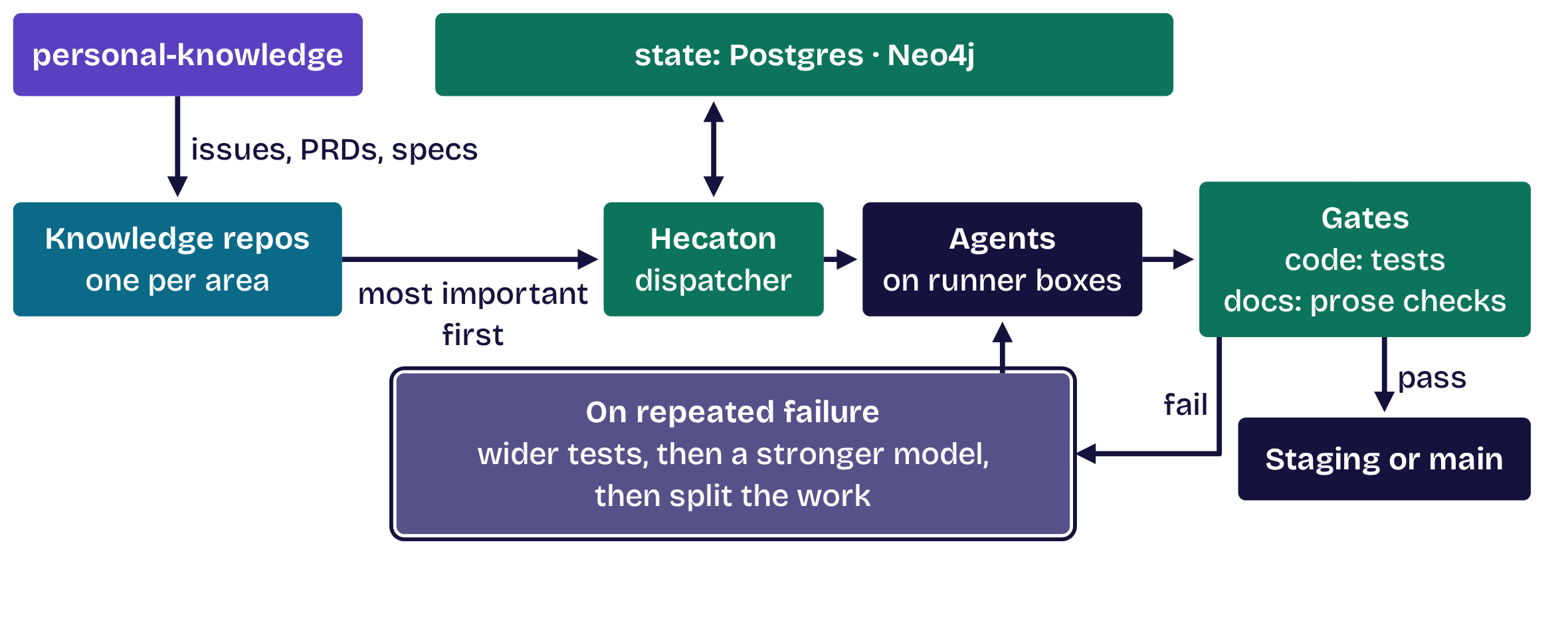
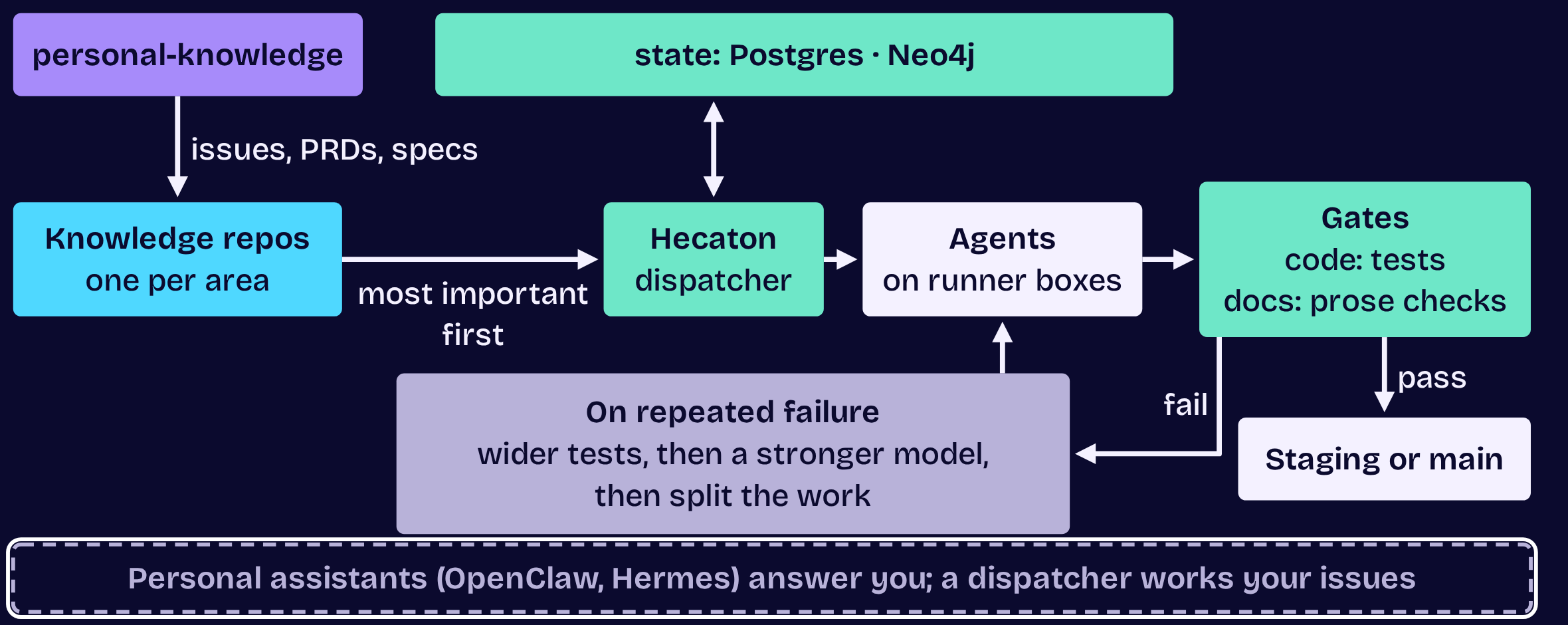
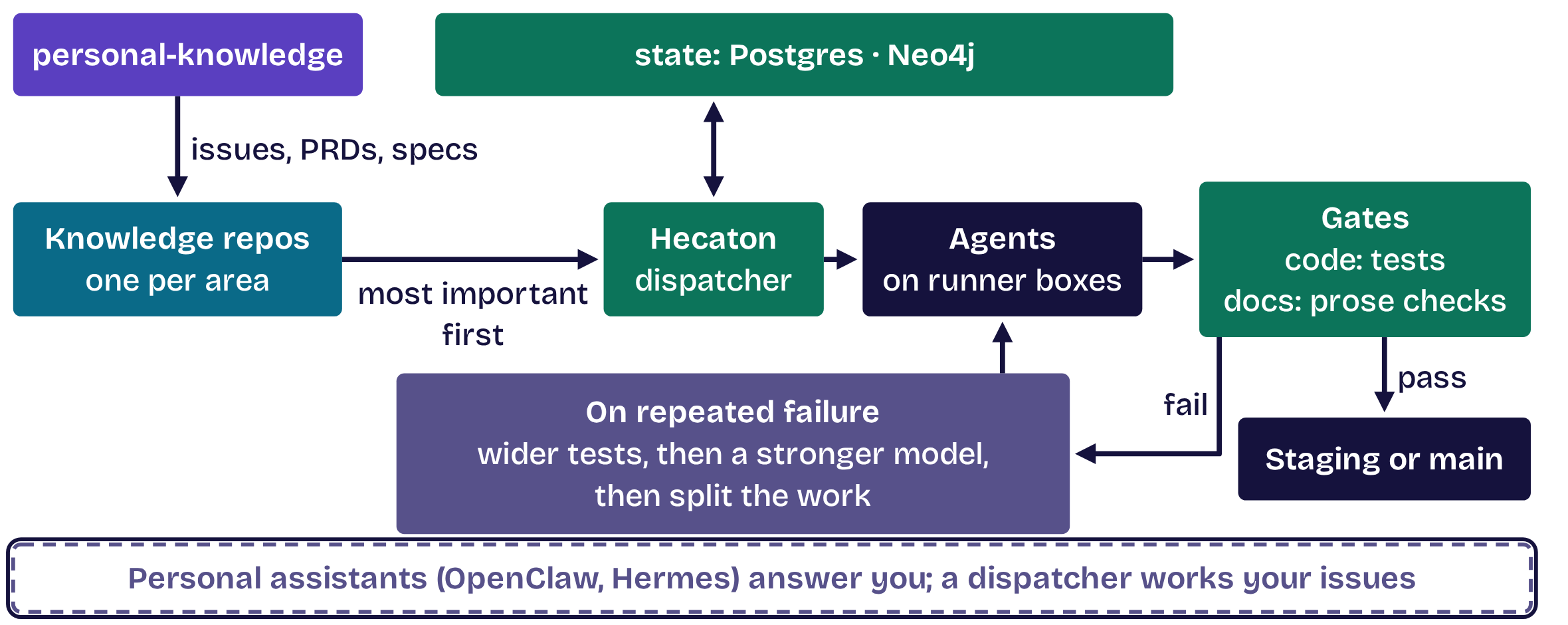
A dispatcher, not an assistant

A dispatcher, not an assistant, step 1 of 5A dispatcher, not an assistant, step 1 of 5A dispatcher, not an assistant, step 2 of 5A dispatcher, not an assistant, step 2 of 5A dispatcher, not an assistant, step 3 of 5A dispatcher, not an assistant, step 3 of 5A dispatcher, not an assistant, step 4 of 5A dispatcher, not an assistant, step 4 of 5A dispatcher, not an assistant, step 5 of 5A dispatcher, not an assistant, step 5 of 5
  1. Opening
  2. 1Structure
  3. 2Master
  4. 3Move
  5. 4Automate
  6. 5Dispatch
  7. Close

Tip 5 of 5 · Dispatch

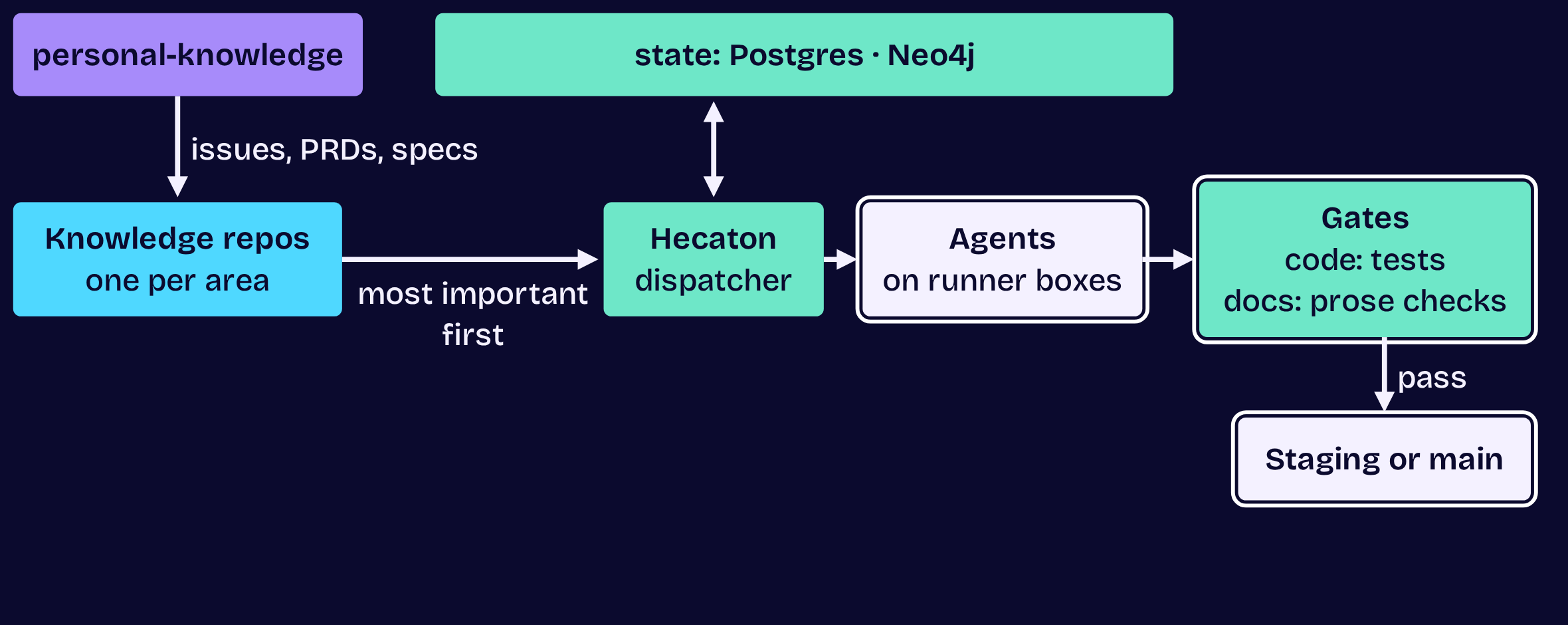
4,500+ merged commits

in 23 days, each merged into staging by the dispatcher.

  1. Opening
  2. 1Structure
  3. 2Master
  4. 3Move
  5. 4Automate
  6. 5Dispatch
  7. Close

Tip 5 of 5 · Dispatch

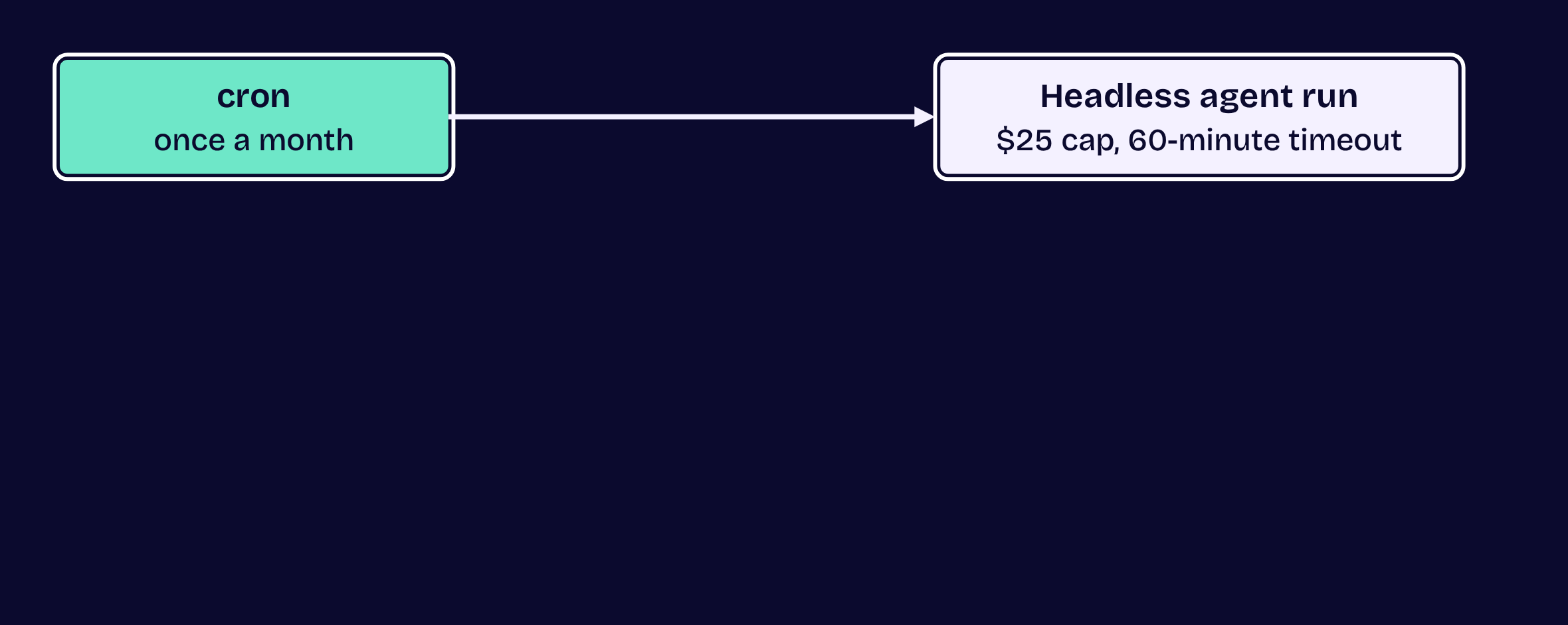
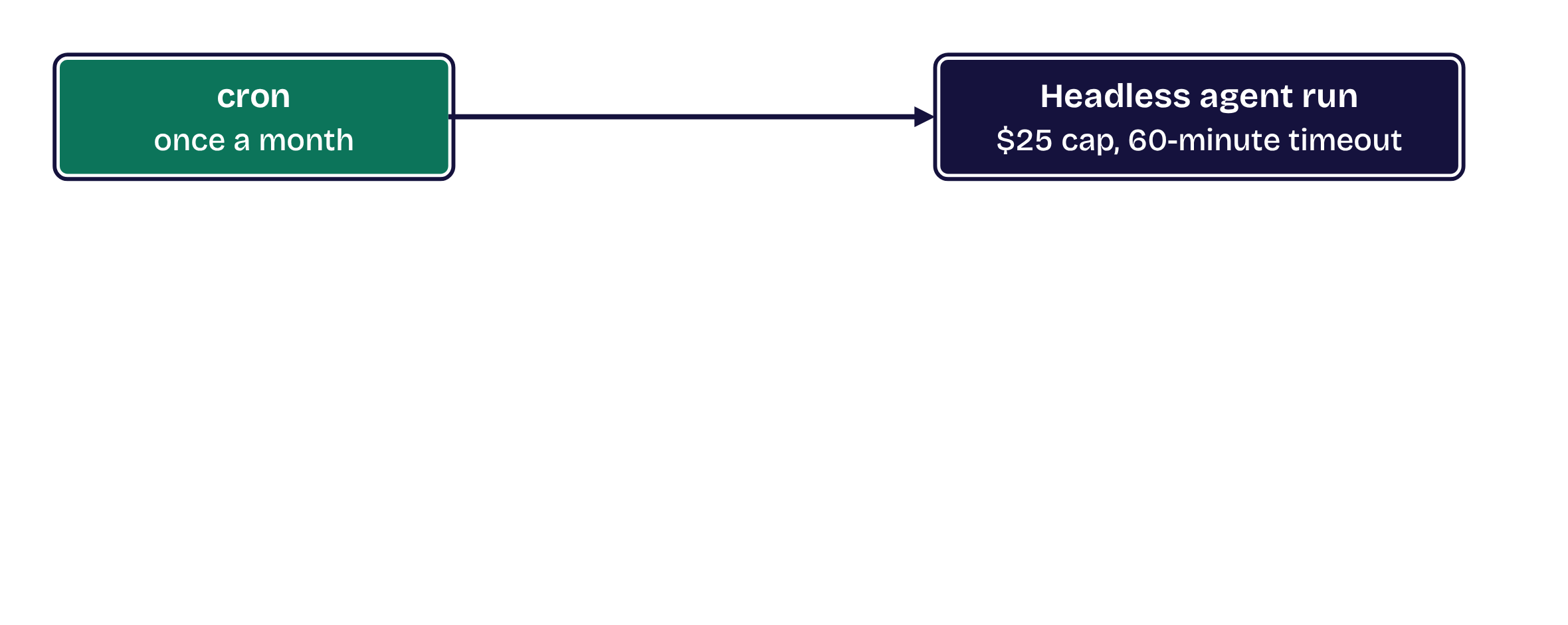
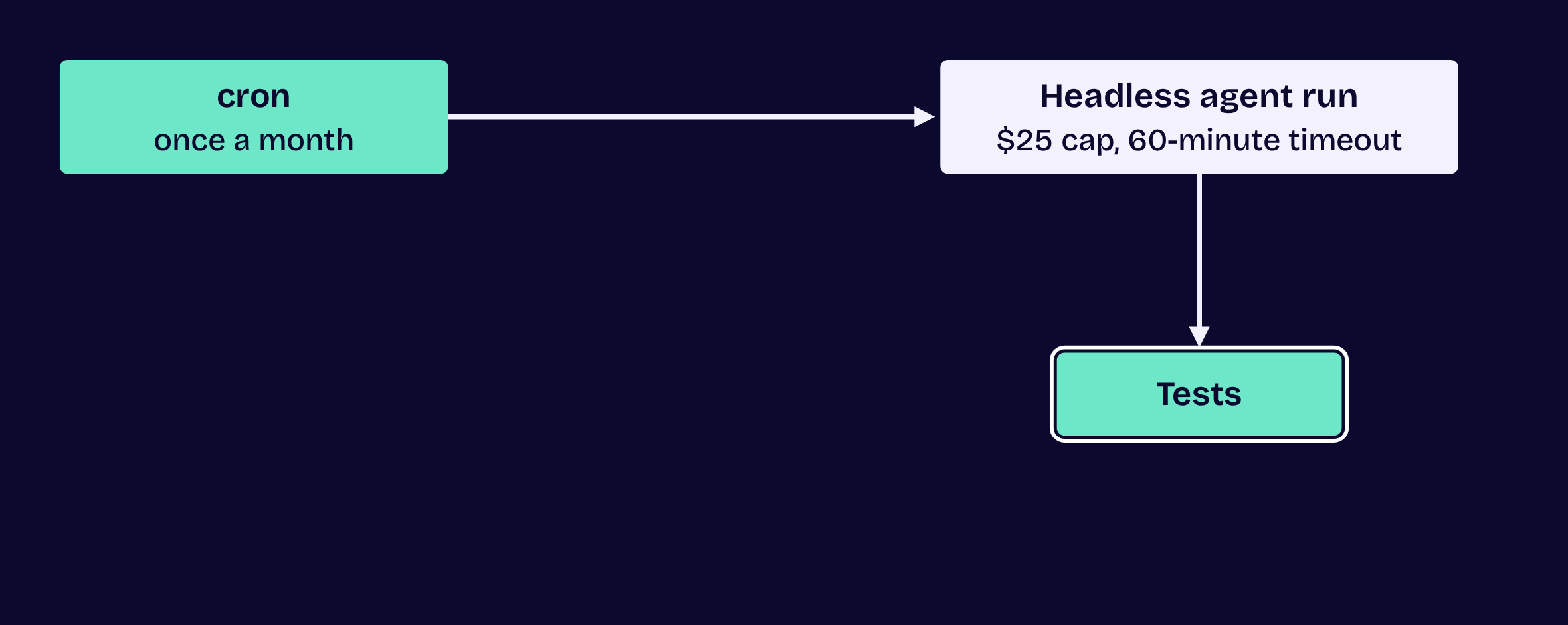
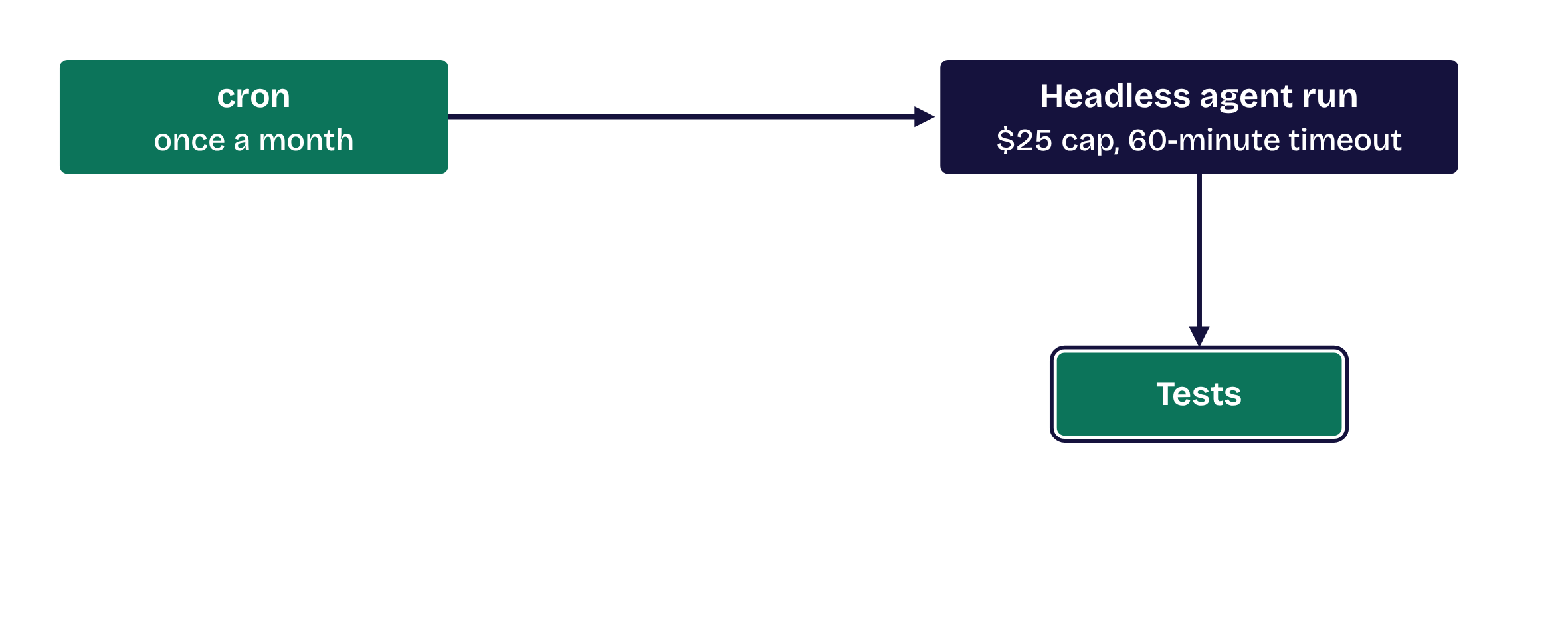
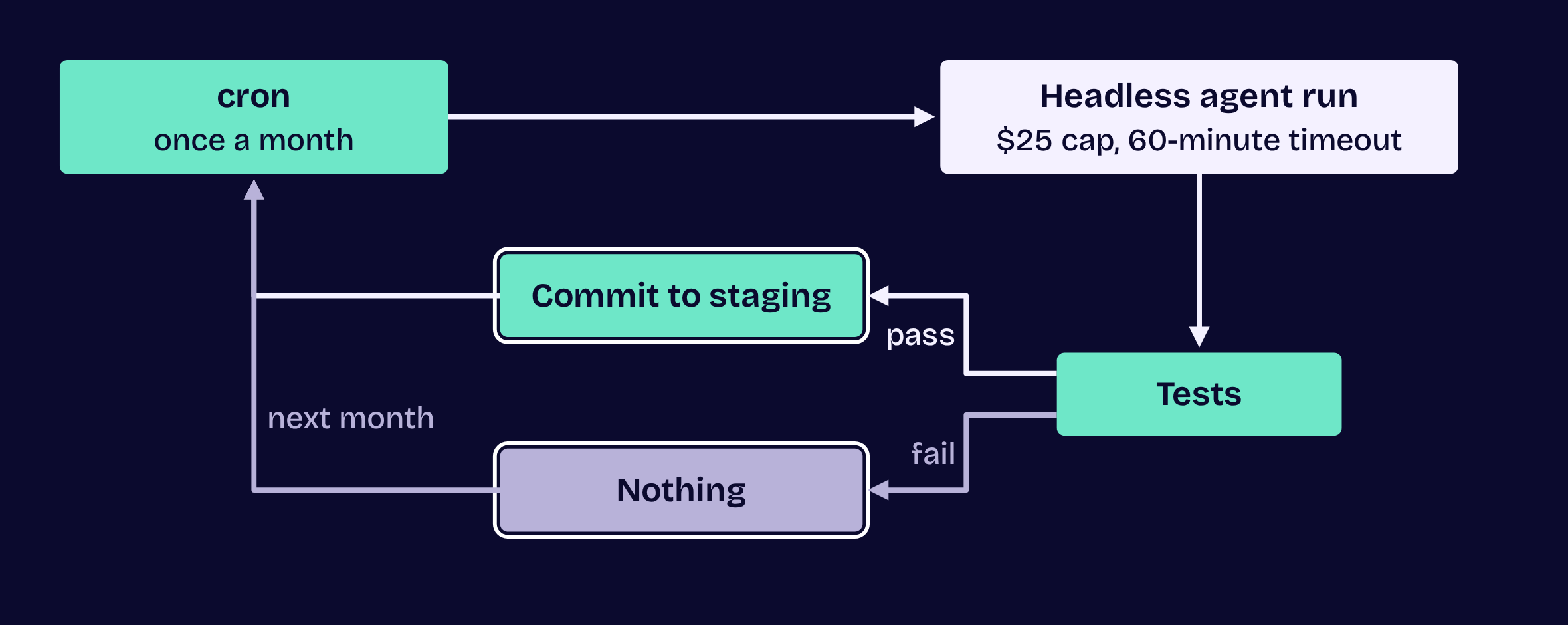
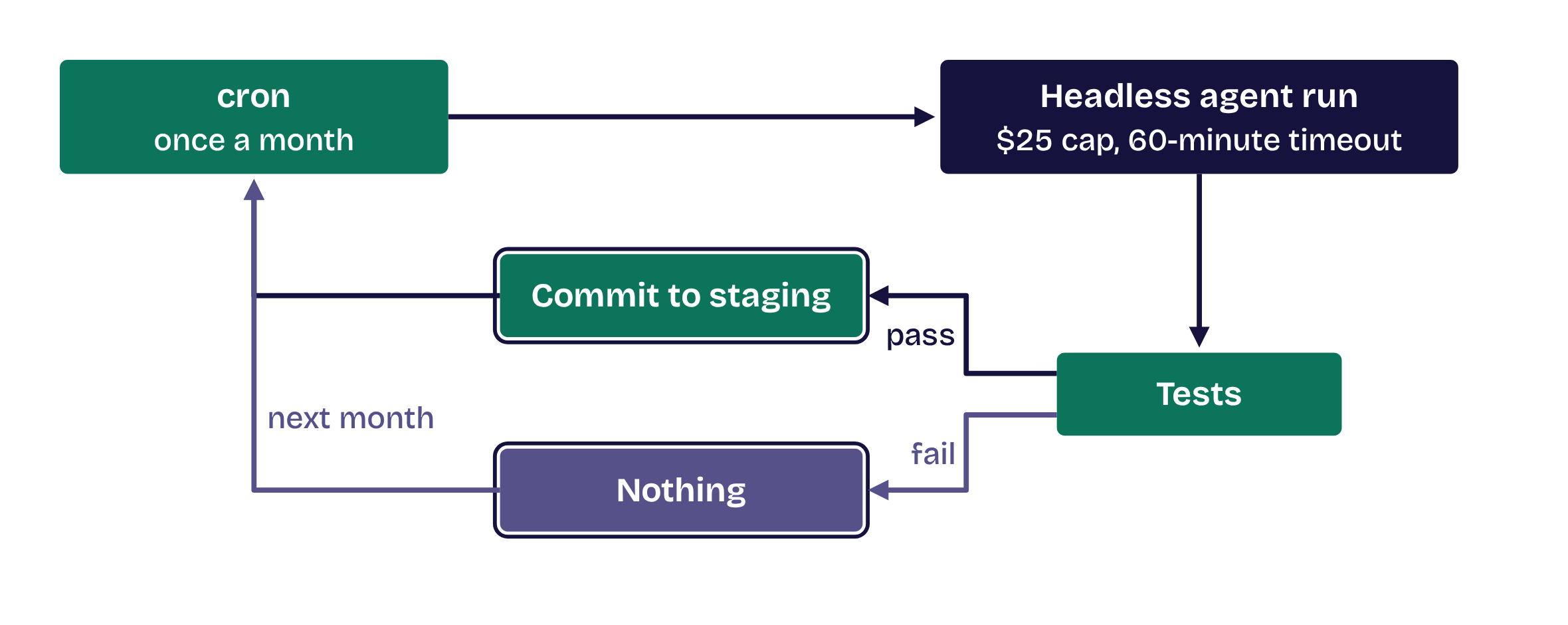
From cron to a dispatcher

From cron to a dispatcher, step 1 of 2From cron to a dispatcher, step 1 of 2From cron to a dispatcher, step 2 of 2From cron to a dispatcher, step 2 of 2
  1. Opening
  2. 1Structure
  3. 2Master
  4. 3Move
  5. 4Automate
  6. 5Dispatch
  7. Close

Five tips, one box

  1. 1Structure your work
  2. 2Master one workflow
  3. 3Move to one box
  4. 4Automate your connections
  5. 5Dispatch the work

Michael Rishi Forrester · michaelrishiforrester.com · Agentic DevOps with Claude Code

  1. Opening
  2. 1Structure
  3. 2Master
  4. 3Move
  5. 4Automate
  6. 5Dispatch
  7. Close